Personal reference guide compiled from webtoon study notes
📐
Panel Sizing & Pacing
The 9:16 Baseline
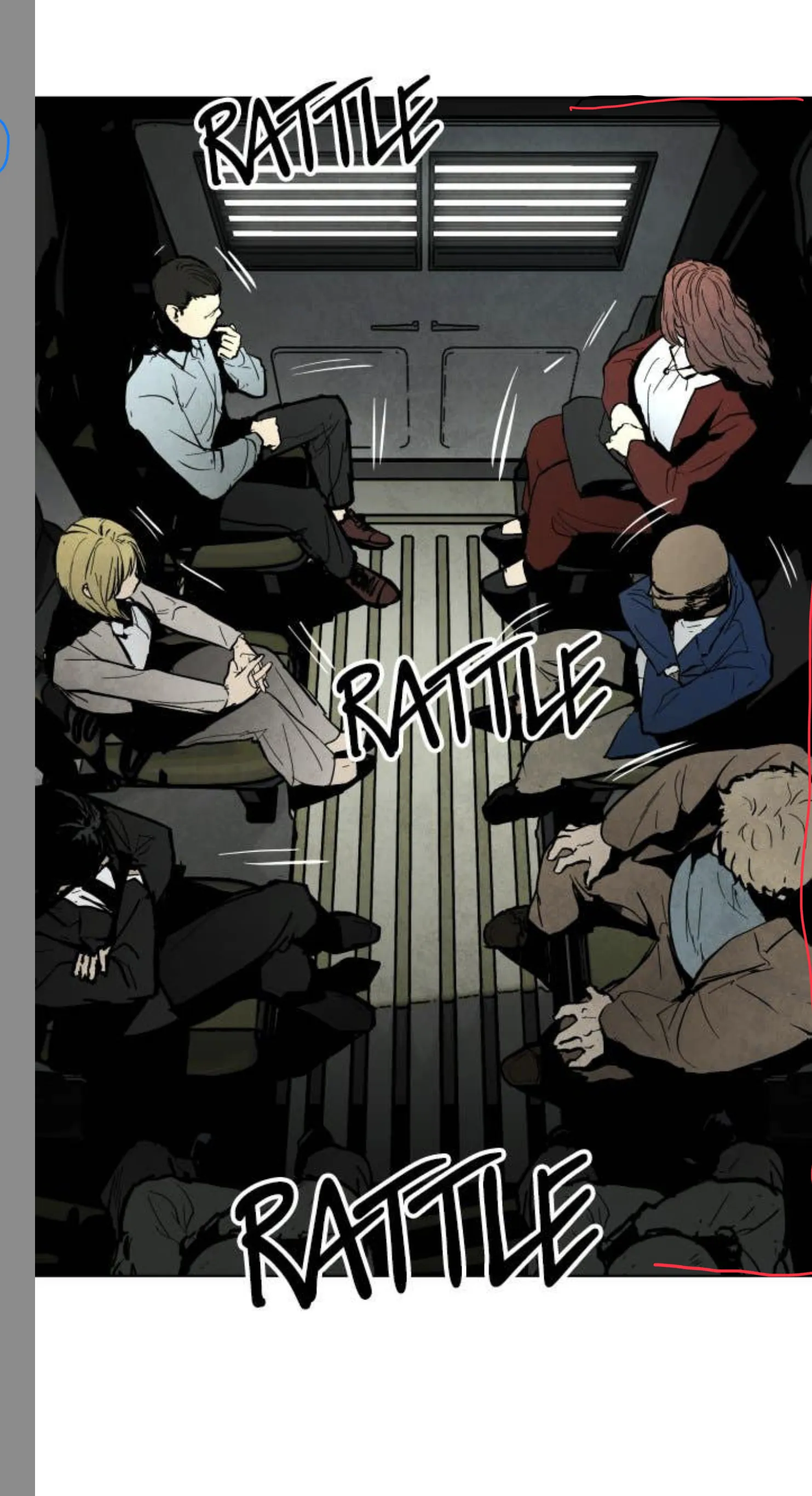
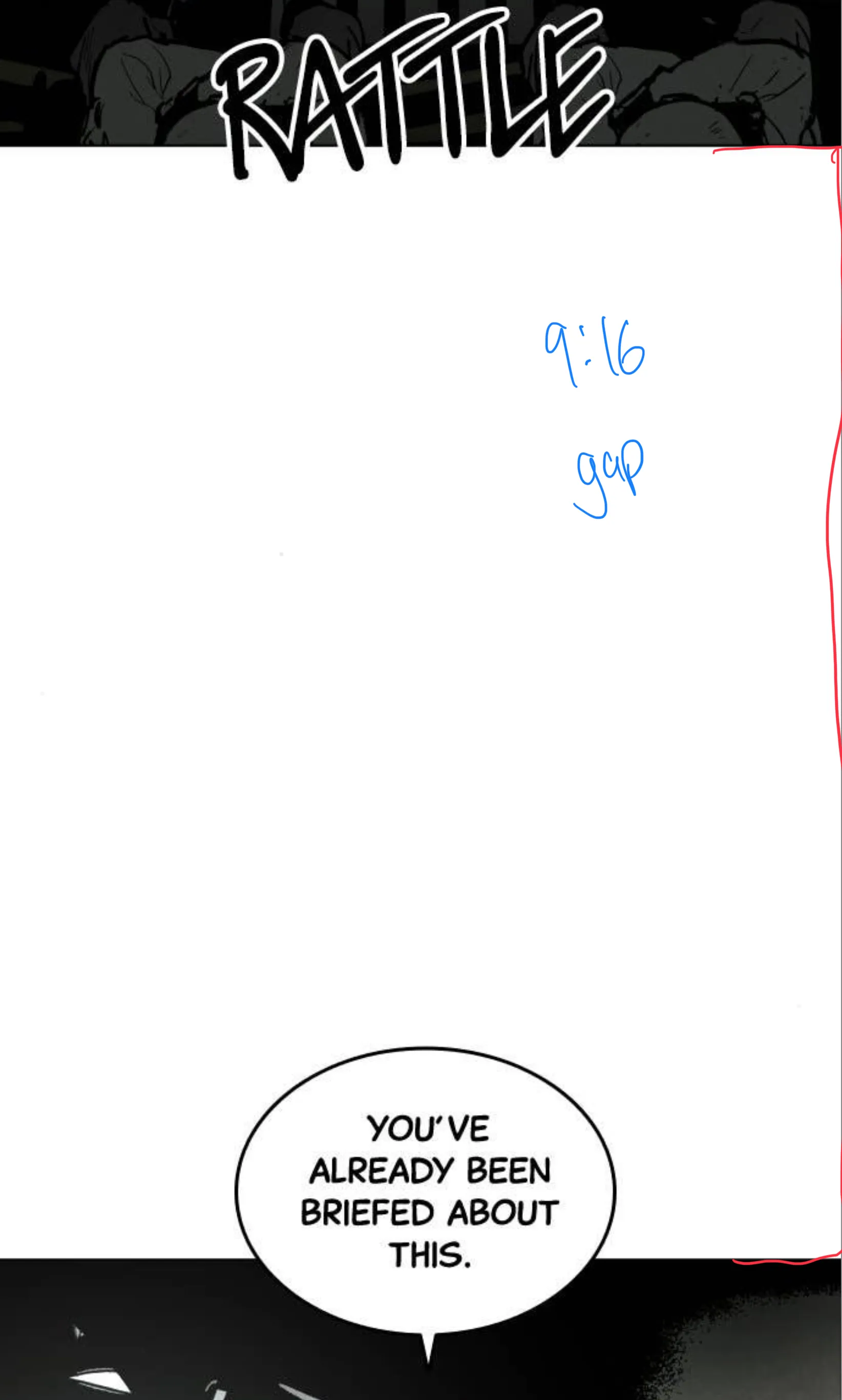
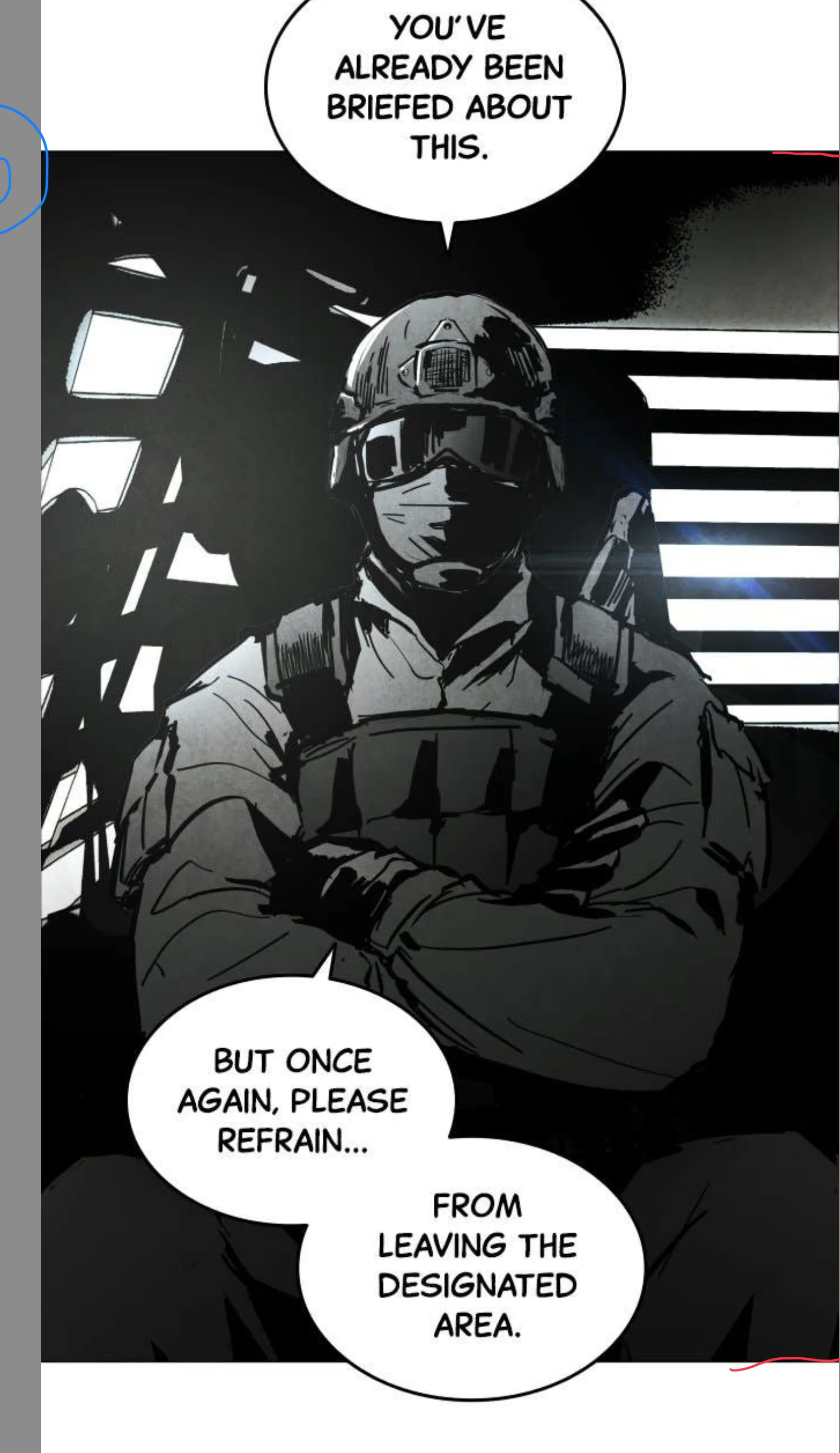
A solid baseline: 9:16-ish panels with 9:16-ish gaps between them. Word balloons can overlap the gap — saves space without losing readability.
Panels bigger than 9:16 → impact shots, establishing frames
Panels smaller than 9:16 → variety, rhythm, quicker beats
Gap smaller than 9:16 → tighter, faster pacing
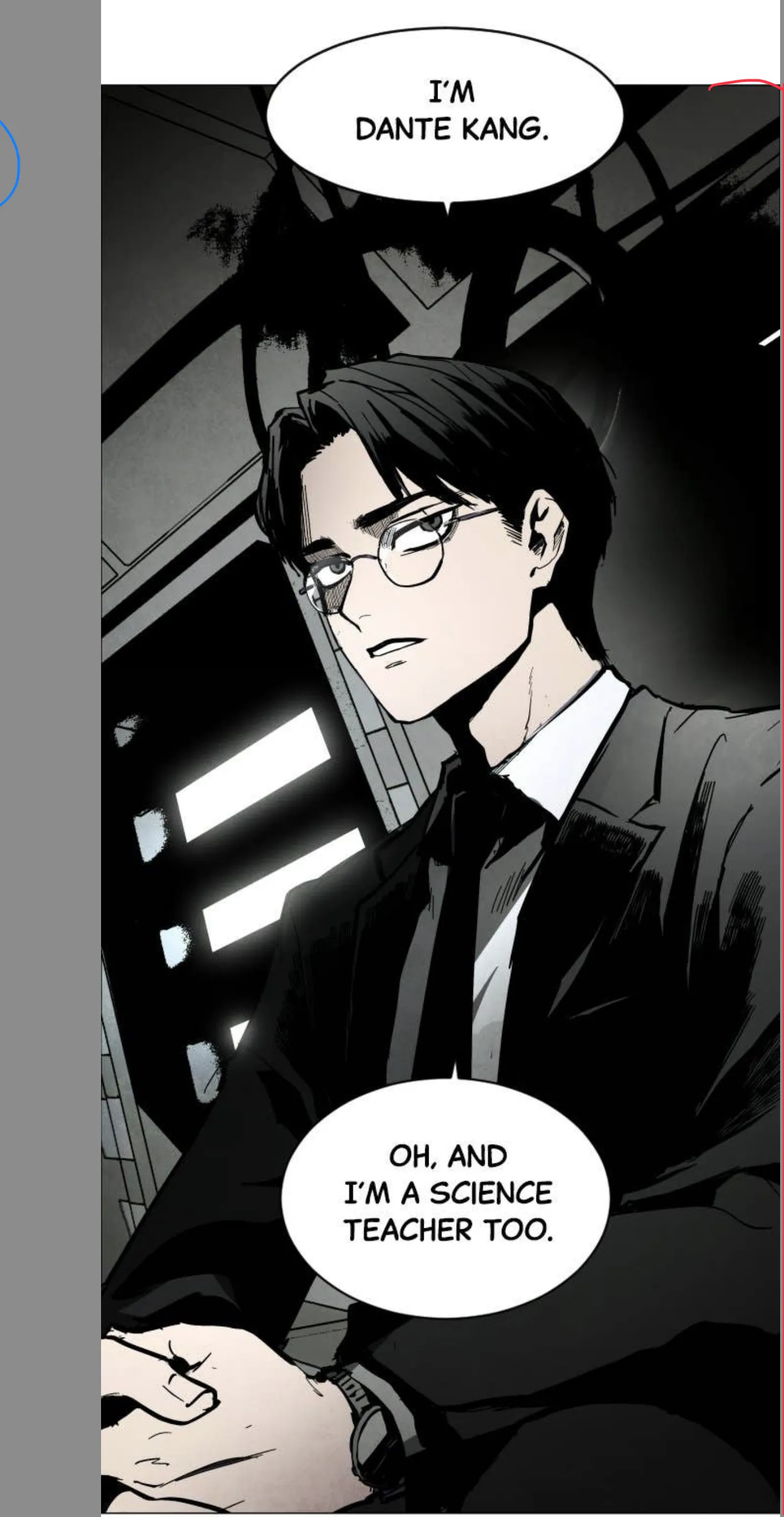
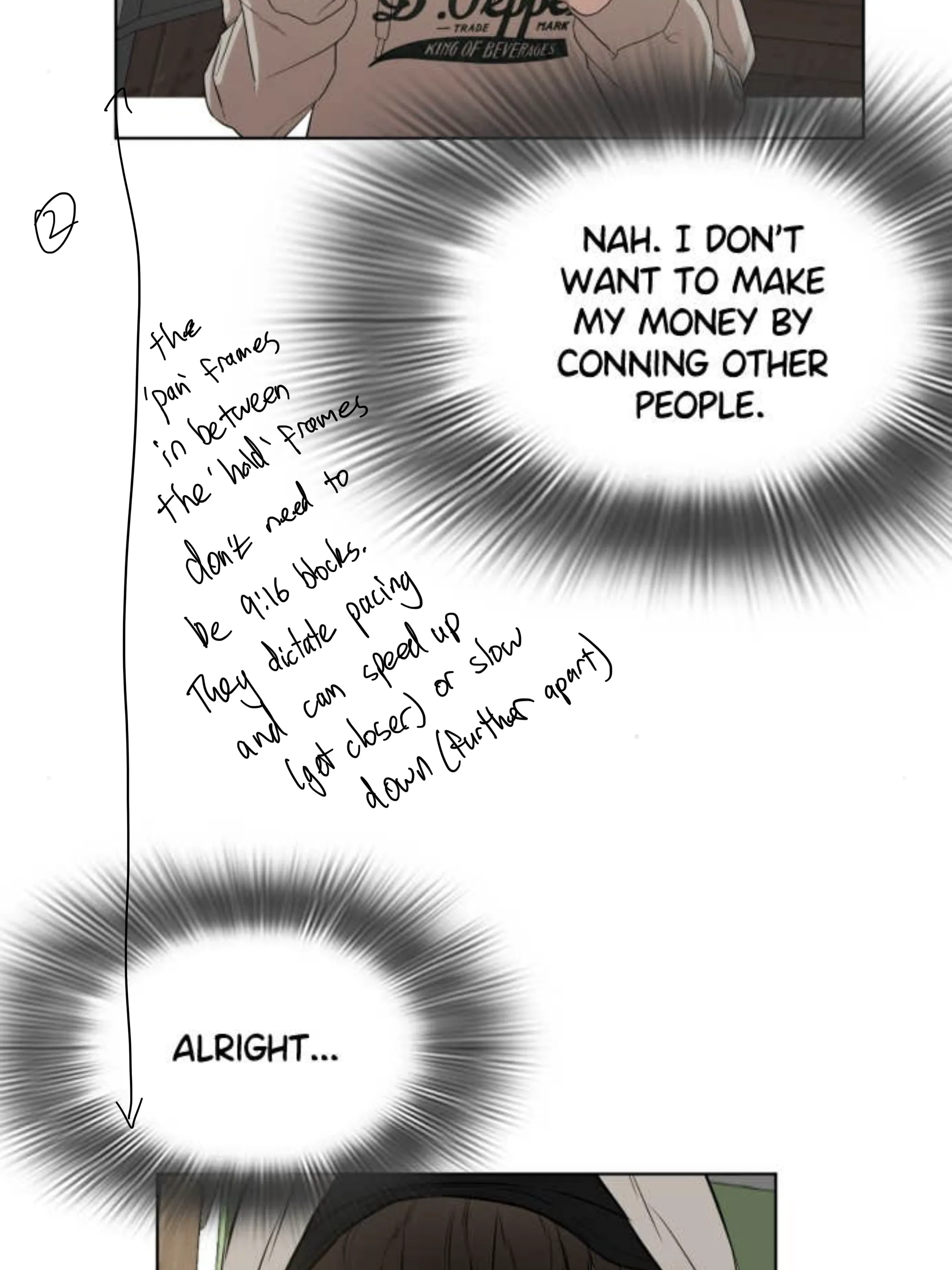
① 9:16 opening frame② 9:16 gap panel③ Baseline + pacing notes④ Bigger than 9:16⑥ Smaller than 9:16⑦ Tighter gap = faster pace
Super Tall Panel — Immersive Pan Effect
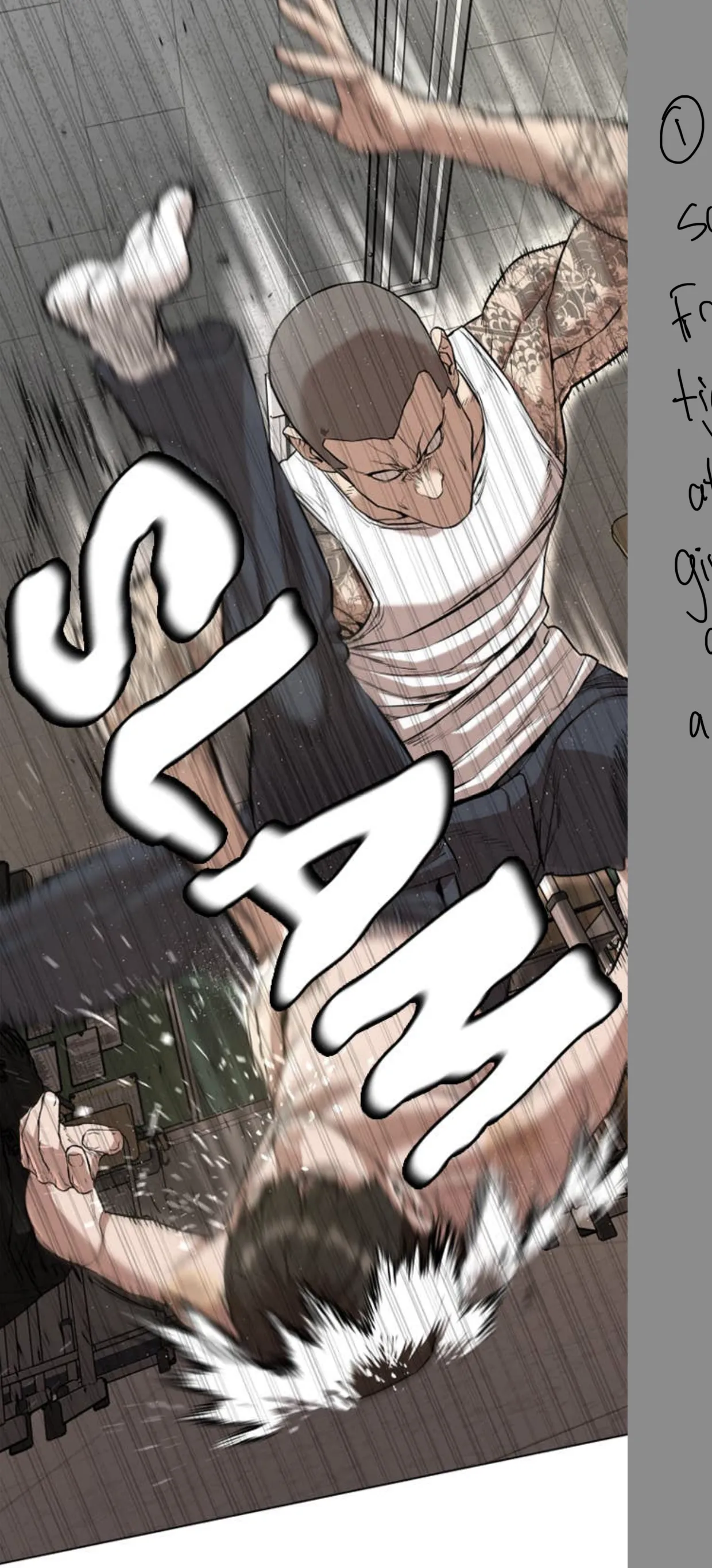
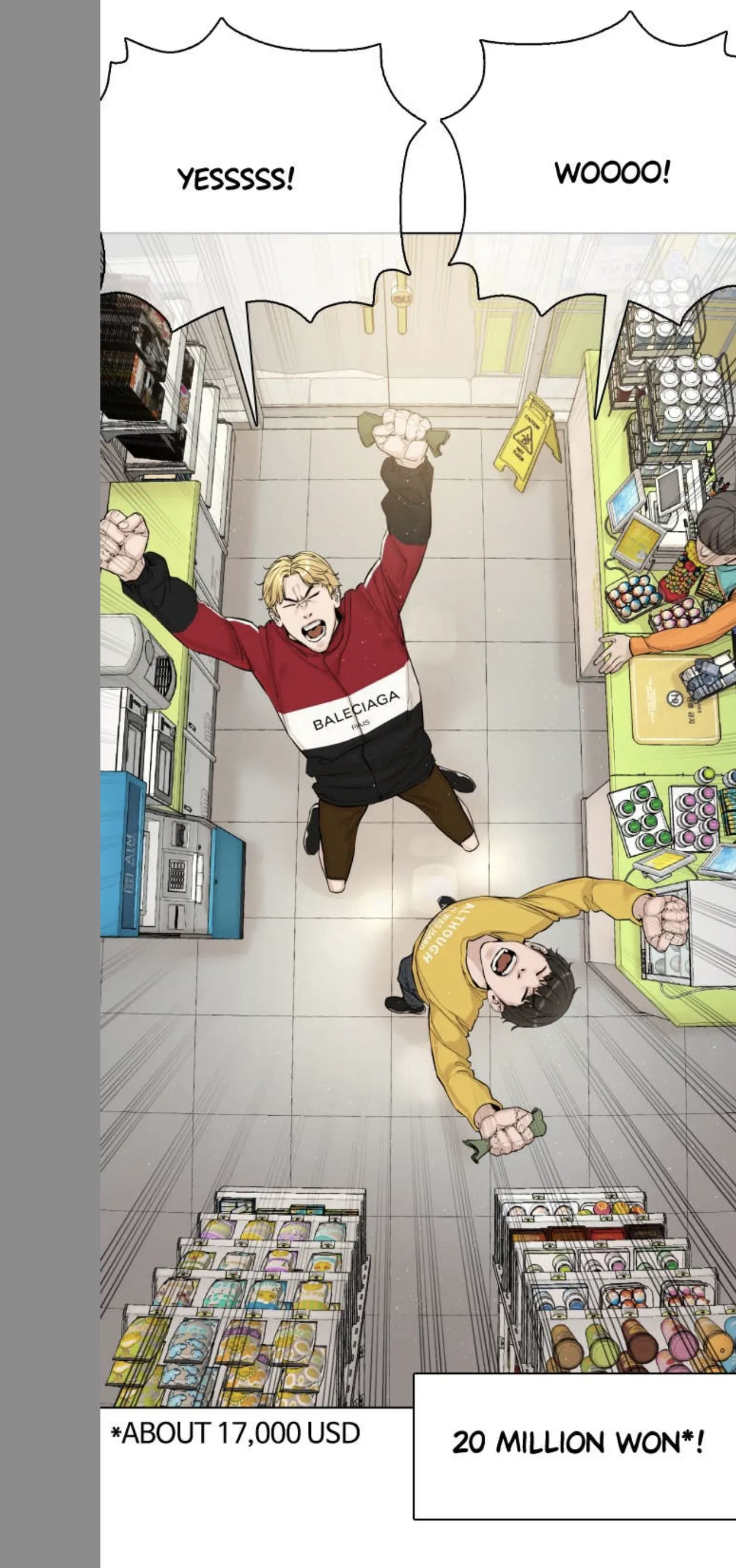
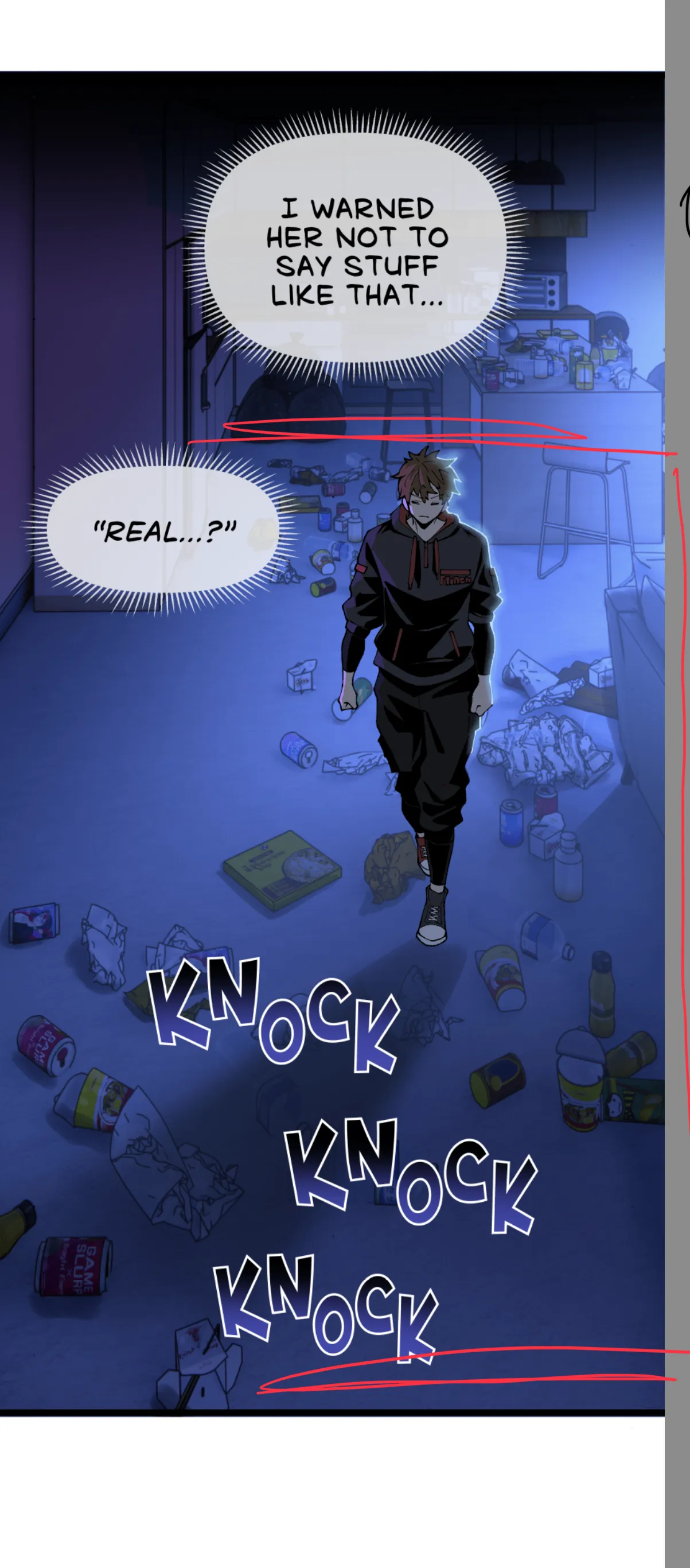
Super tall panels feel very immersive when scrolling — it reads like an animated camera pan down. Use to make the viewer feel like they're moving through the scene.
Tall + Tight Crop — Movement & Immersion
A super tall frame tightly cropped at the sides gives immersion and a sense of movement as the viewer scrolls. The tight crop adds tension and energy.
Immersive Tall Panel vs. Long Drop
These are not the same thing:
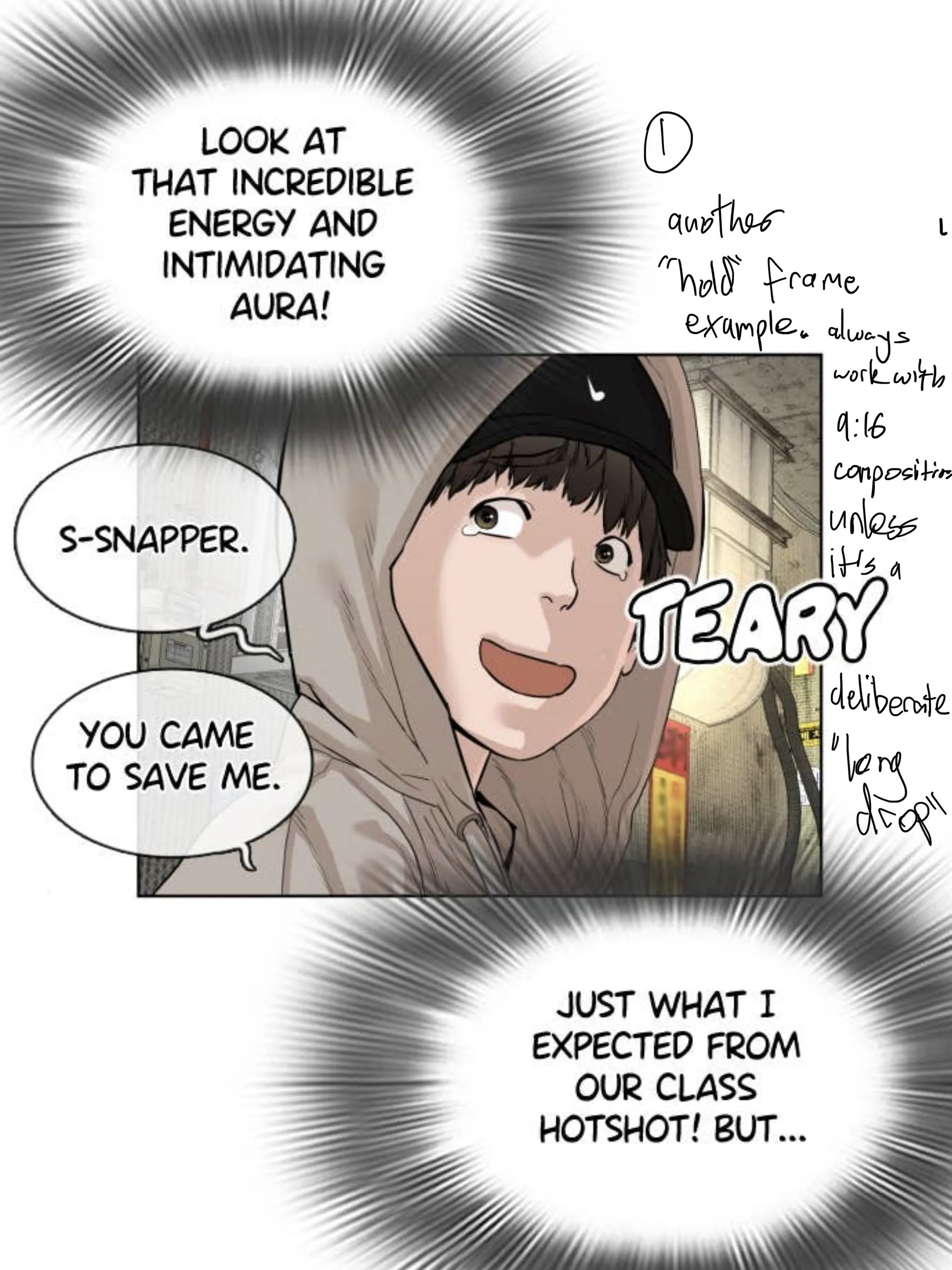
Long drop — a deliberate long scroll that lands on a hold frame at the bottom
Immersive tall panel — creates movement as the viewer scrolls, but no hold needed at the end
Rotating a Super-Wide Panel 90°
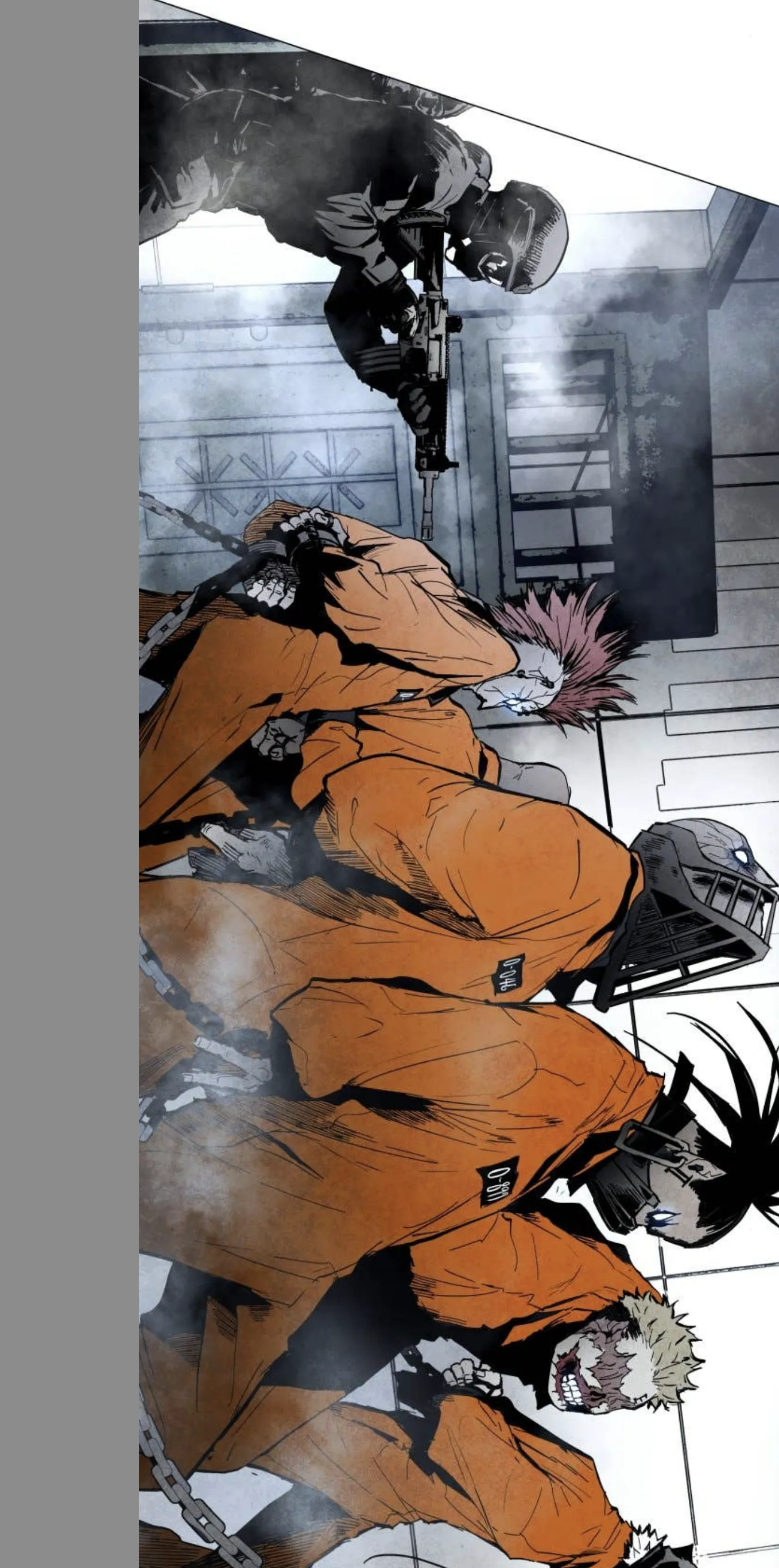
A super-wide panel can be rotated 90° — but only if the visual effect is worth the mental burden placed on the reader. Use sparingly.
🎬
Hold Frames & Pan Frames
Think in Camera Moves & Frame Holds
Frame your pages like a camera operator. The reader pans down through panels and holds at key moments.
Structure: pan → hold → pan → hold
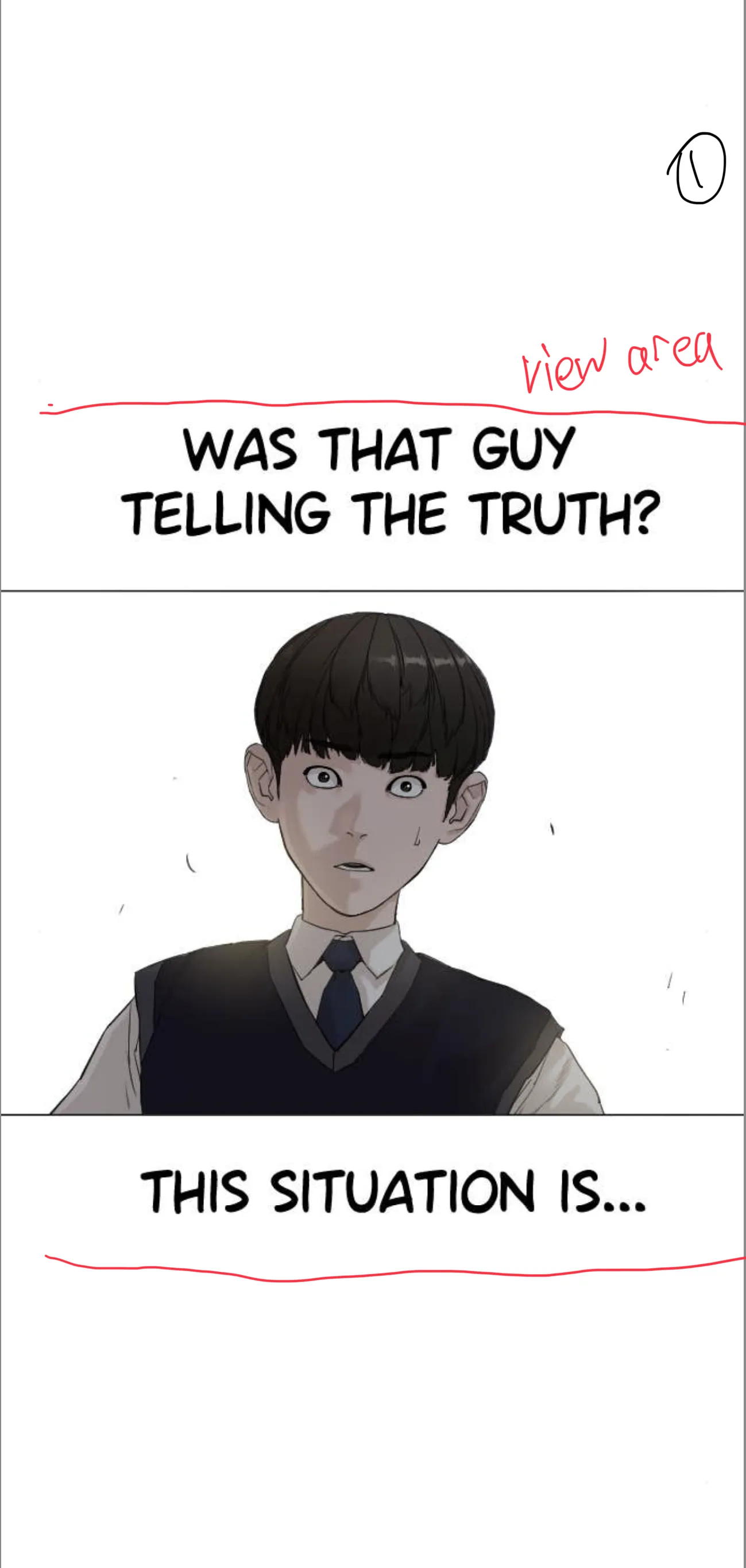
The 'view area' (roughly 9:16) is how much the reader sees at any given moment. Annotate this when planning pages.
Hold Frame vs. Pan Frame — Defined
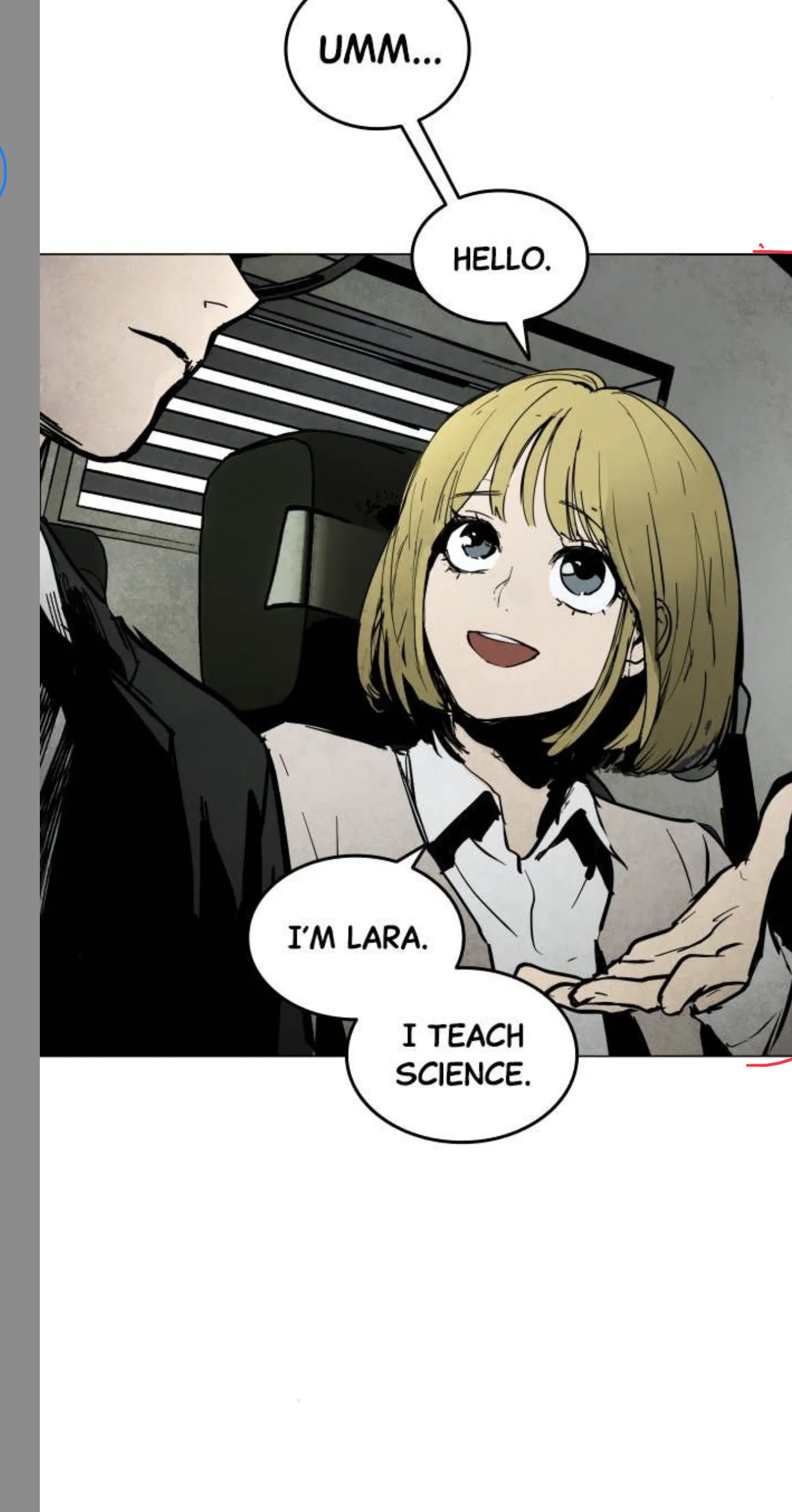
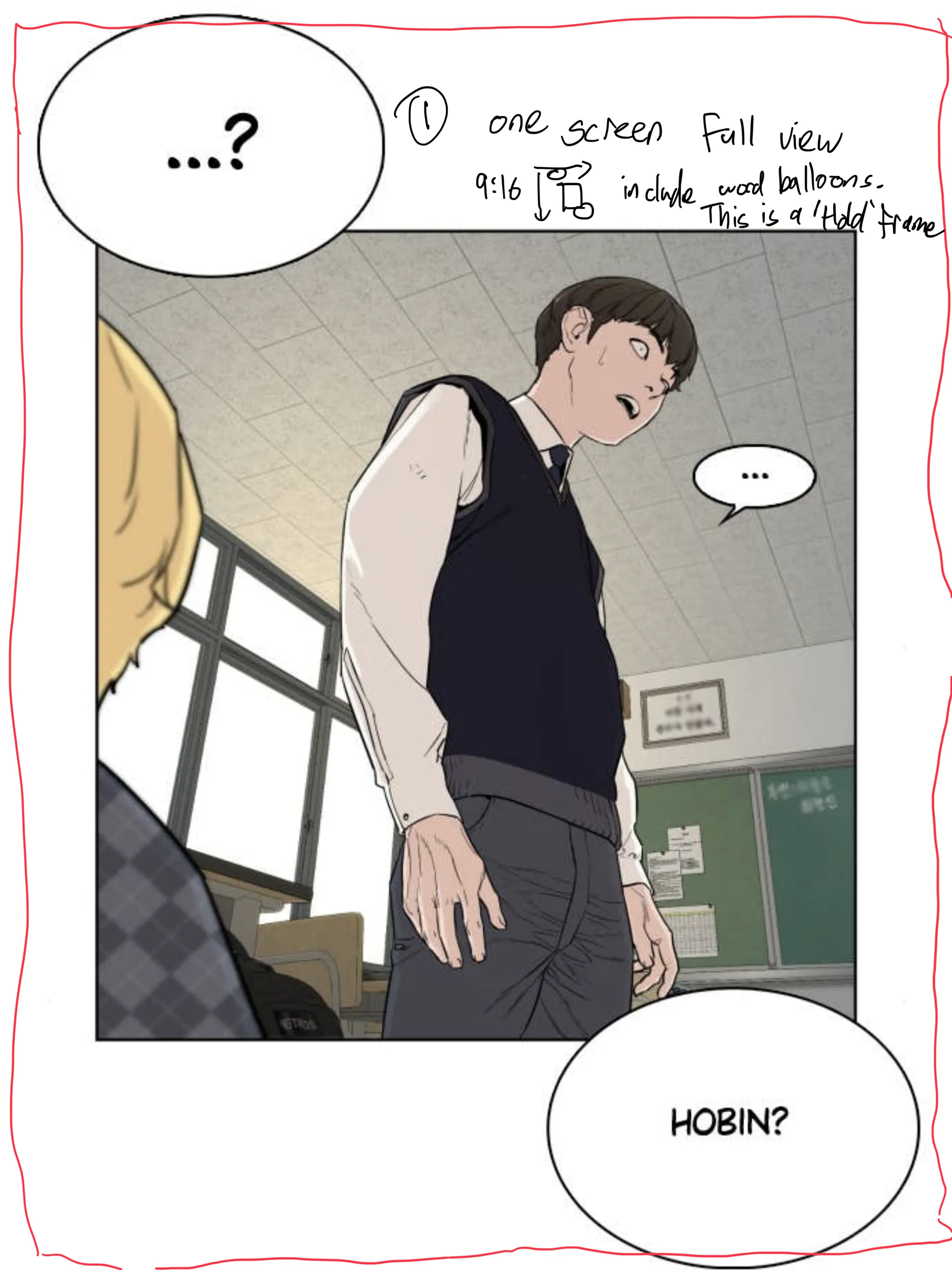
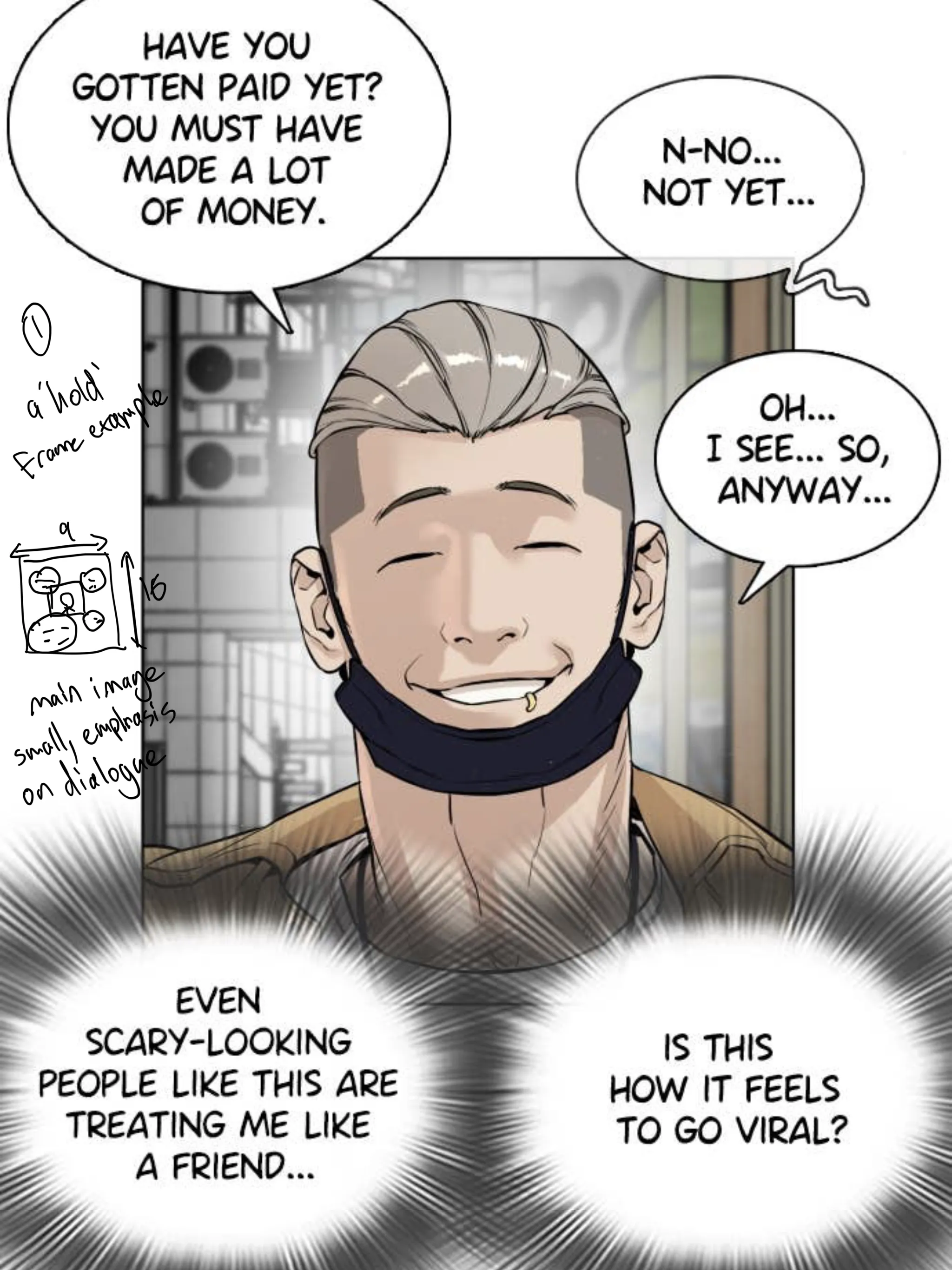
Hold frame: A full-screen (9:16) composition including word balloons. The reader pauses and sits here — this is your key moment.
Pan frames: Frames between holds. Don't need to be 9:16. They control pacing: closer together speeds up, further apart slows down.
① Hold frame — full 9:16 view② Pan frames — pacing control
Hold Frame — Main Image + Dialogue Emphasis
Classic hold frame structure: main character image fills the frame, word balloons sit outside or below the panel edge. Keep the main image composition solidly 9:16.
Hold Frame — Always 9:16 Composition
Hold frames should always use a 9:16 composition — unless you're deliberately going for a 'long drop' transition. Don't break this without intention.
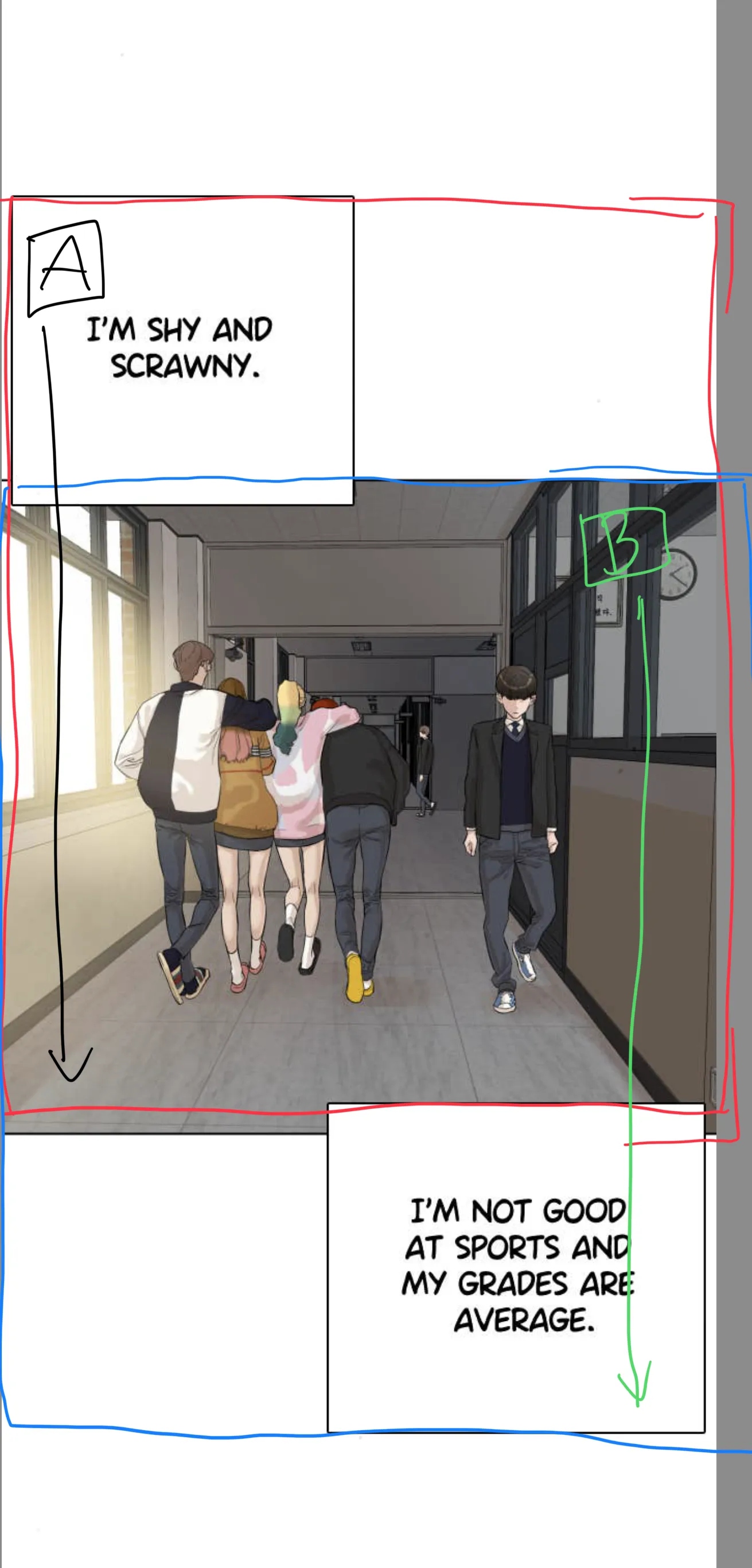
Extending Dialogue = Second Hold Frame
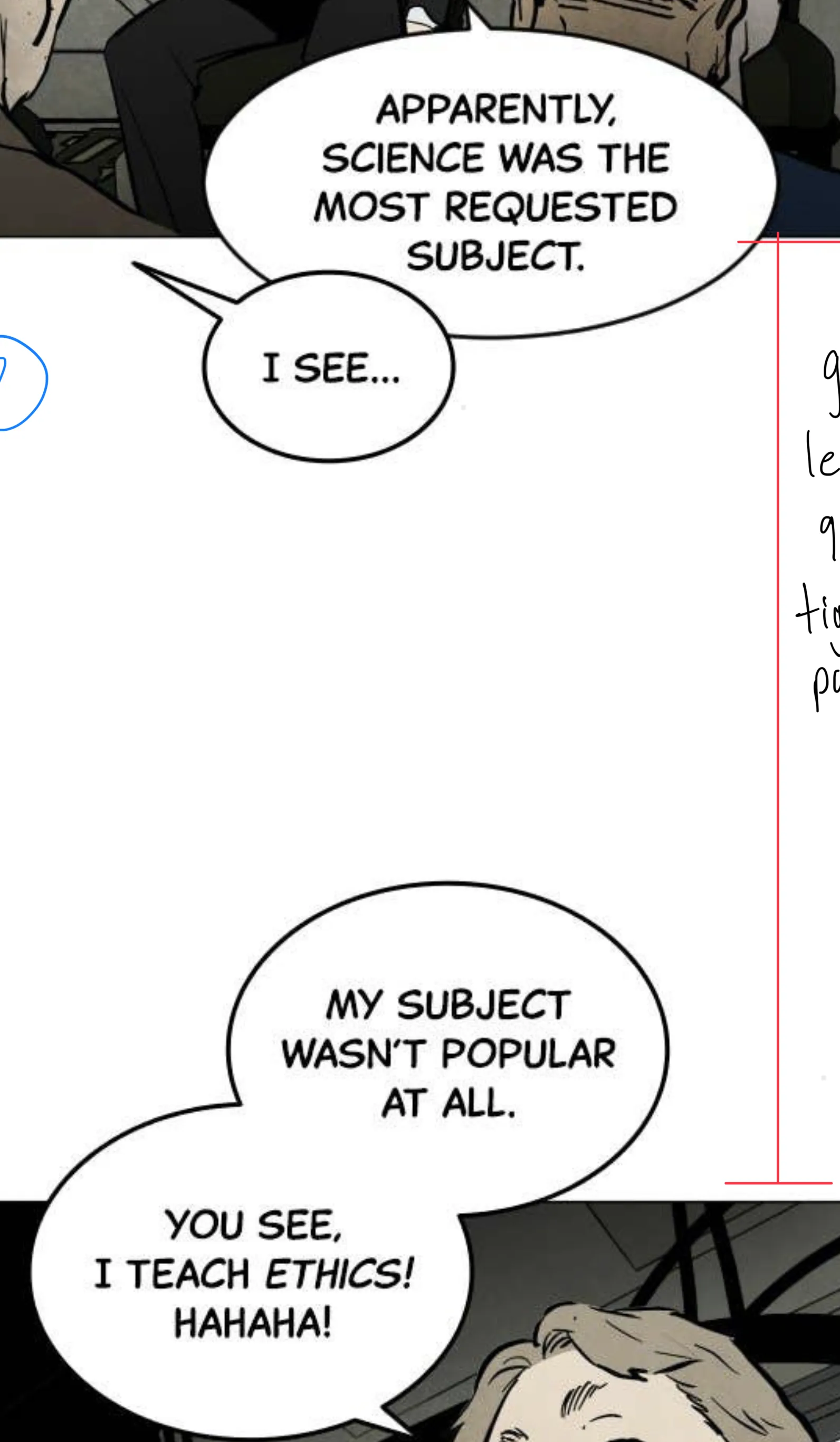
Placing dialogue outside of hold frame [A] creates a second hold frame [B].
This gives the sense of time flowing — one line of dialogue happening after the other, not simultaneously.
🖼️
Backgrounds & Space
Full Body Shot + Environment for Slow Beats
Full body shots that include the environment work well for slower, longer beats. They ground the scene and give the reader space to breathe.
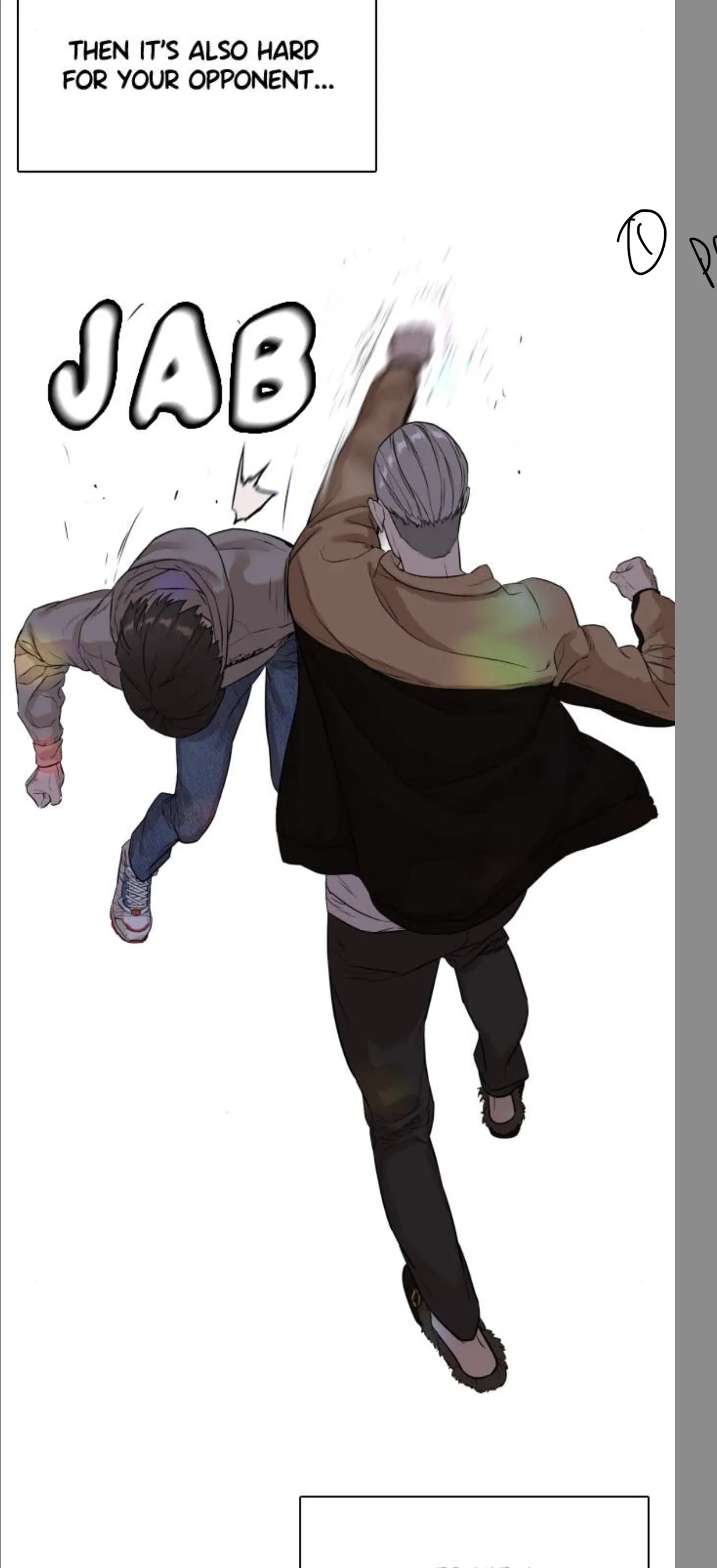
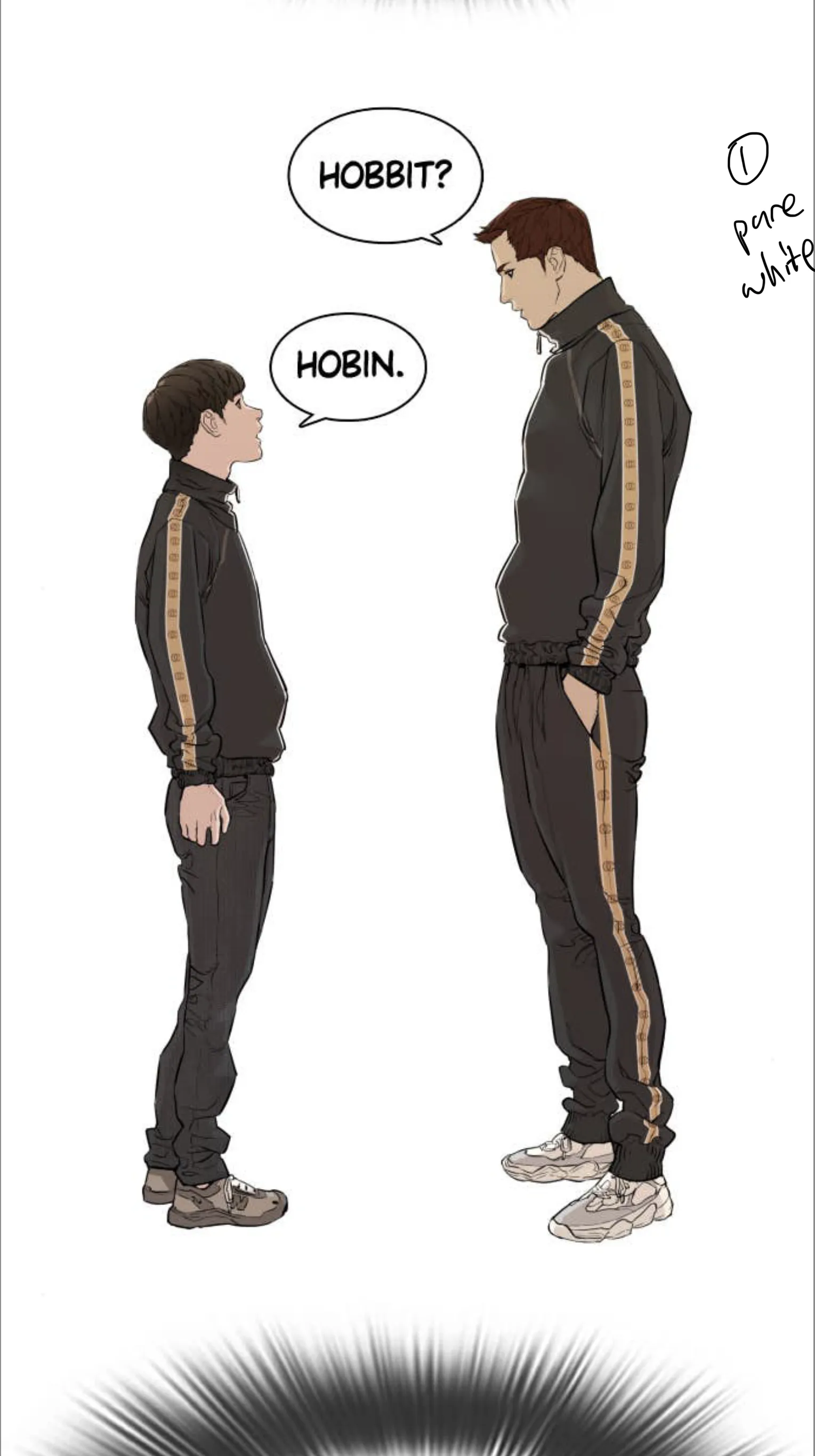
Pure White Background — Focus on Character or Motion
A pure white BG with character only strips away all distraction. It directs the reader entirely to the physical motion or the emotional moment — clean and unambiguous.
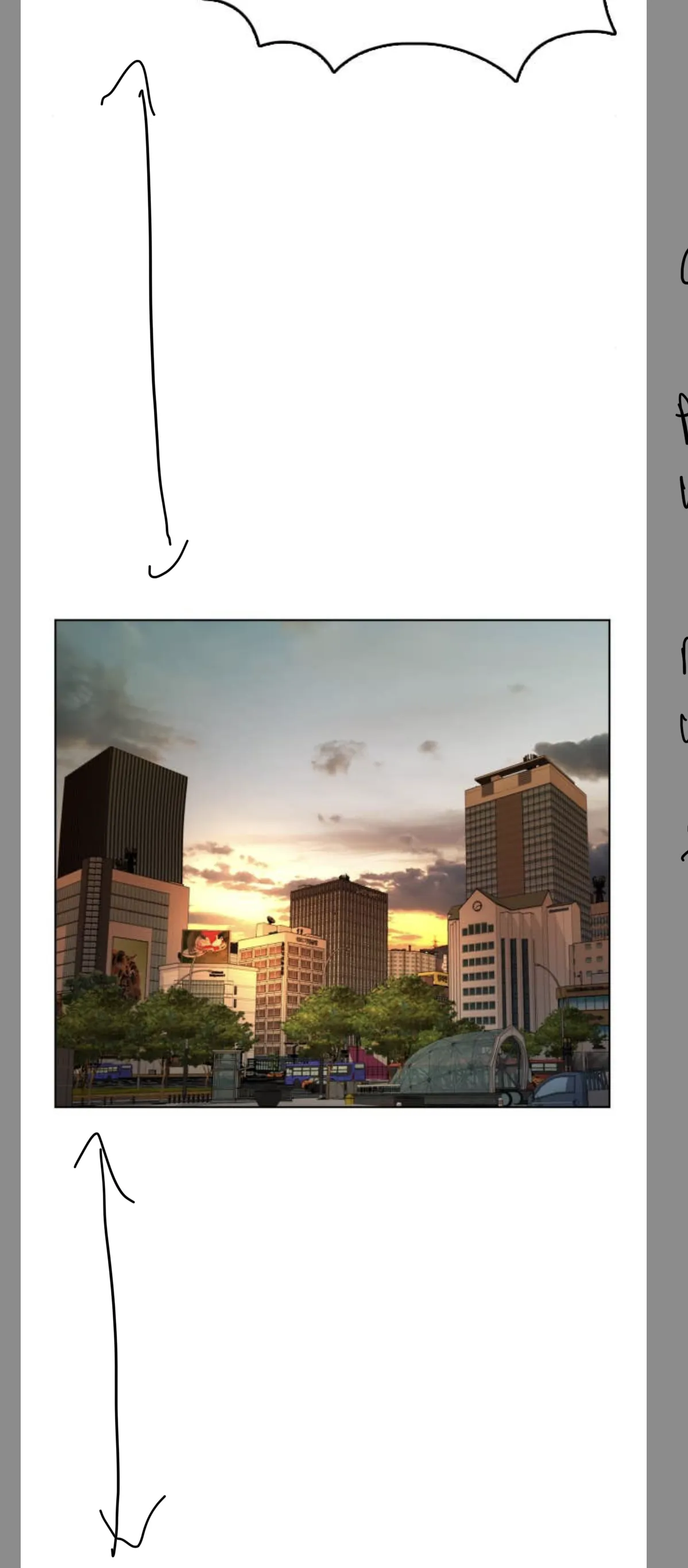
Establishing Shot with Generous White Space
Use a wide establishing shot to signal a location change or time skip.
Generous white space around the shot reinforces time dilation — the pause feels longer, the transition more deliberate. The emptiness does the work.
📖
Storytelling Structure
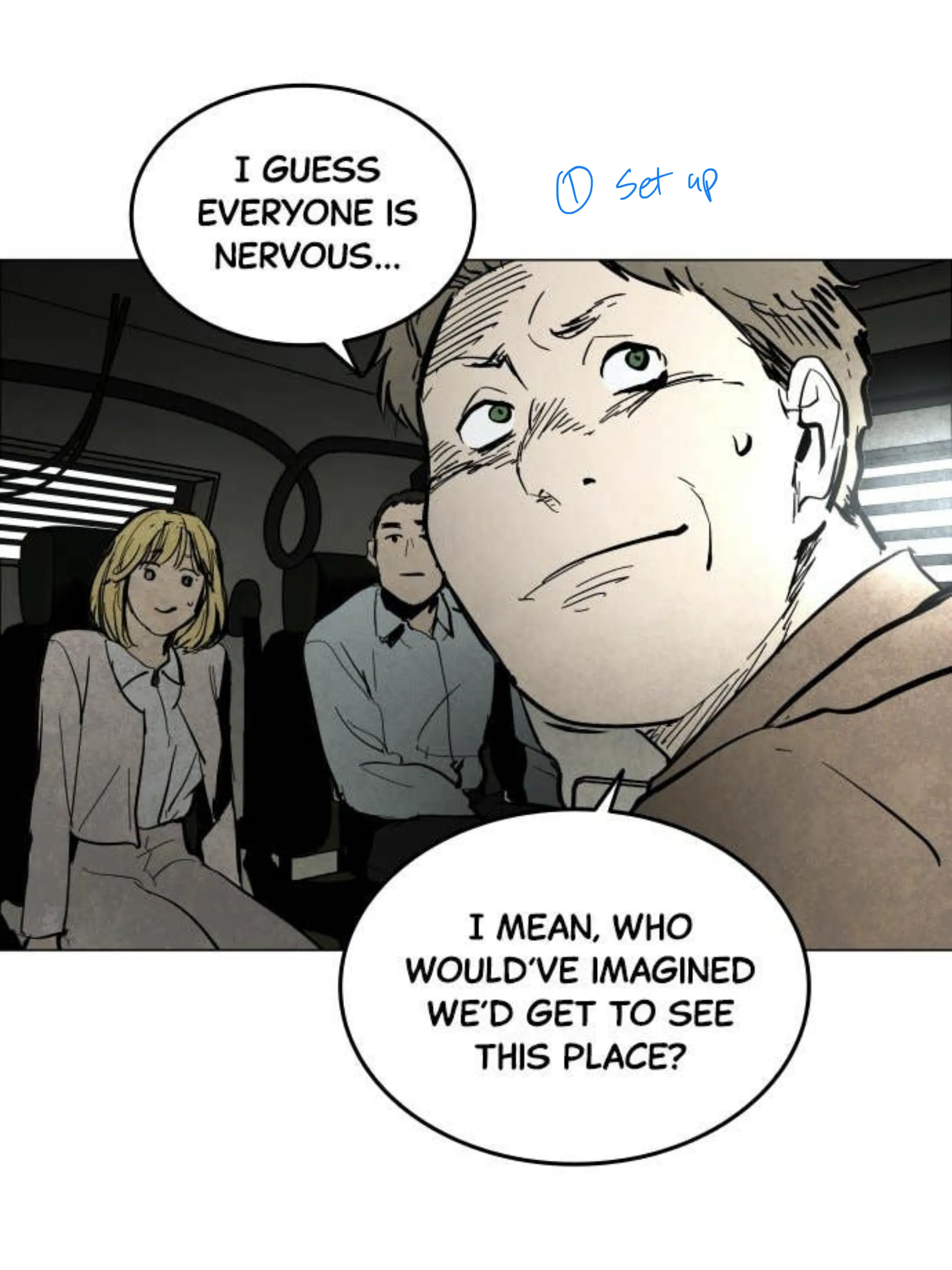
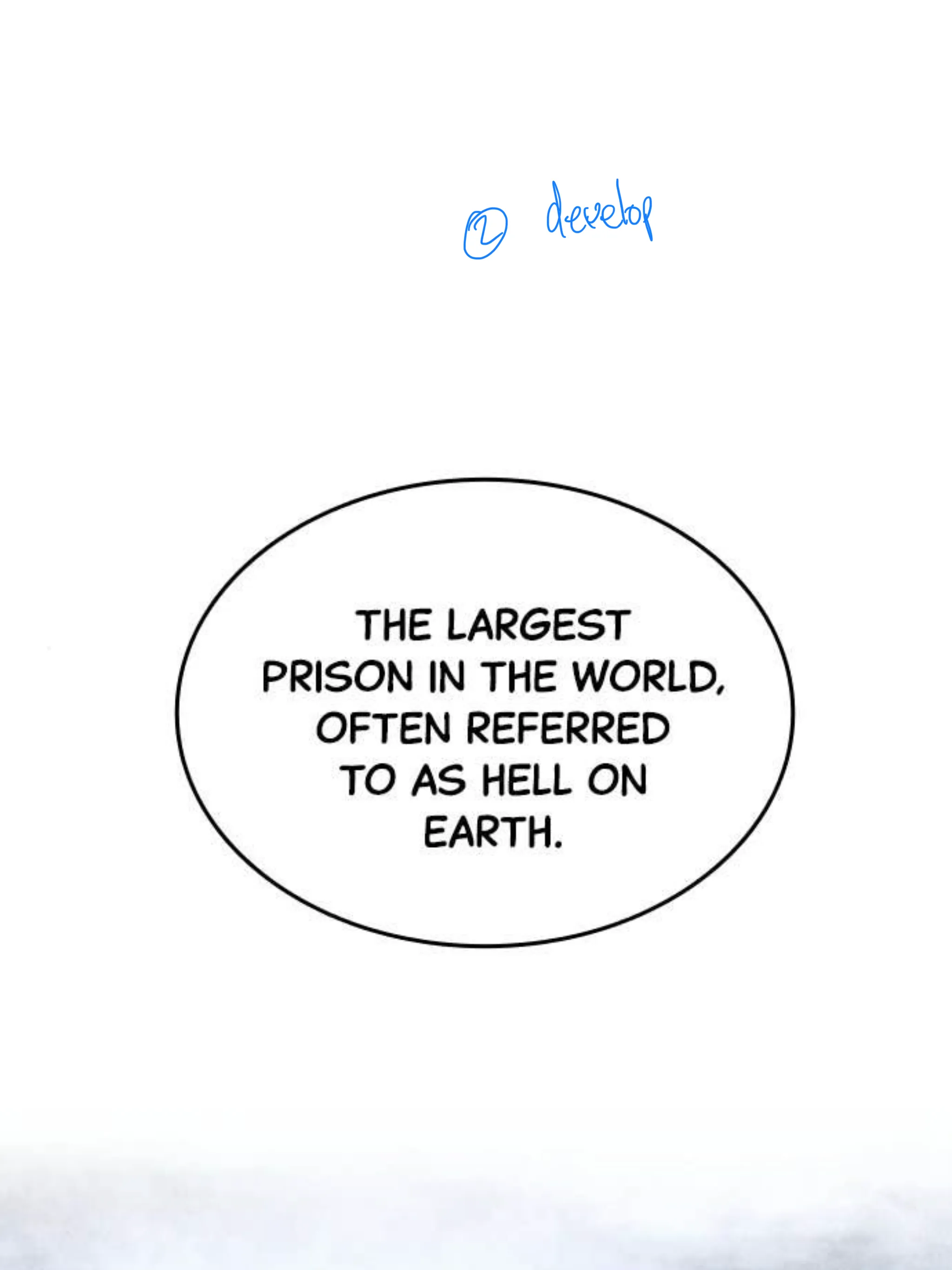
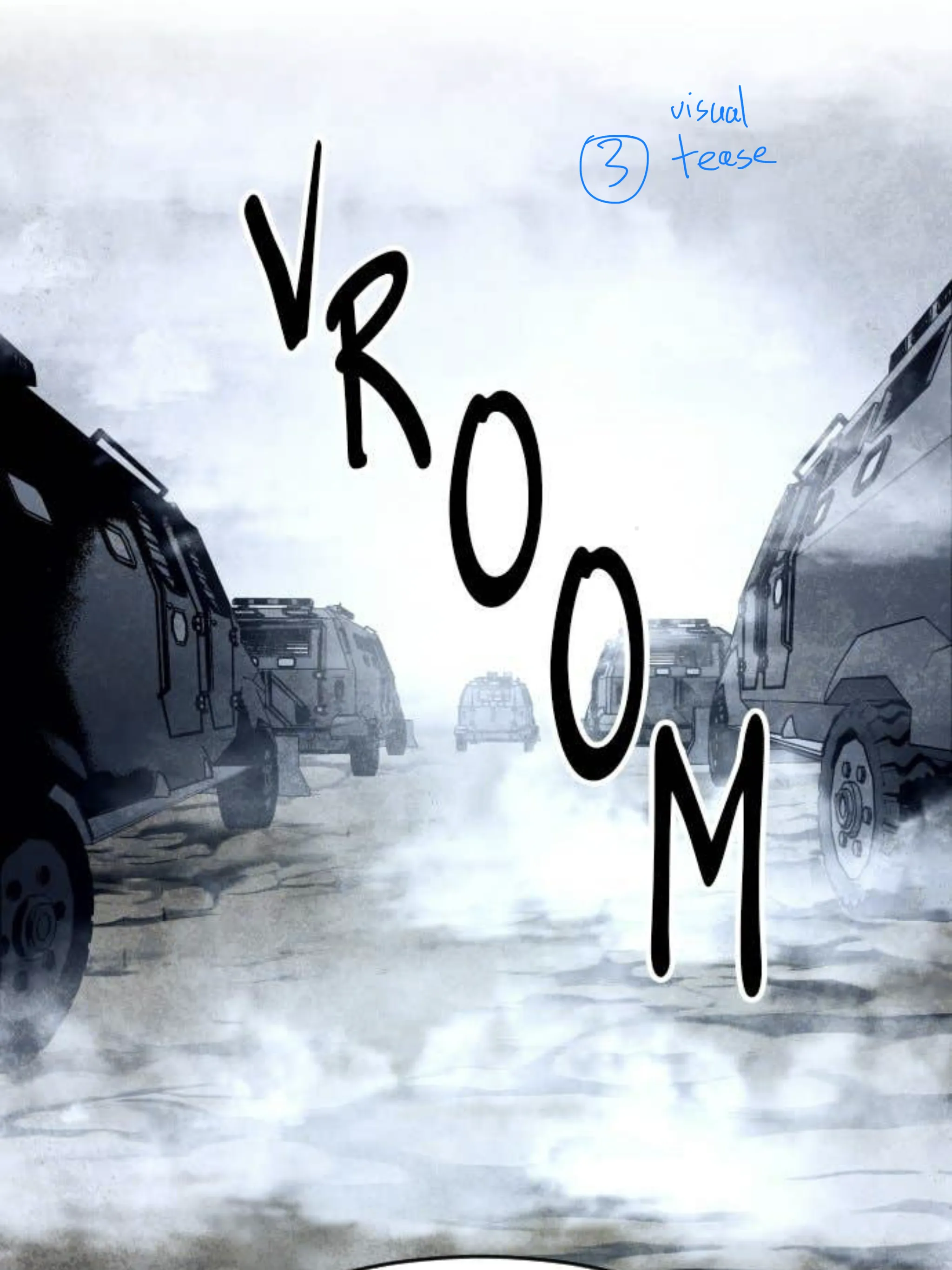
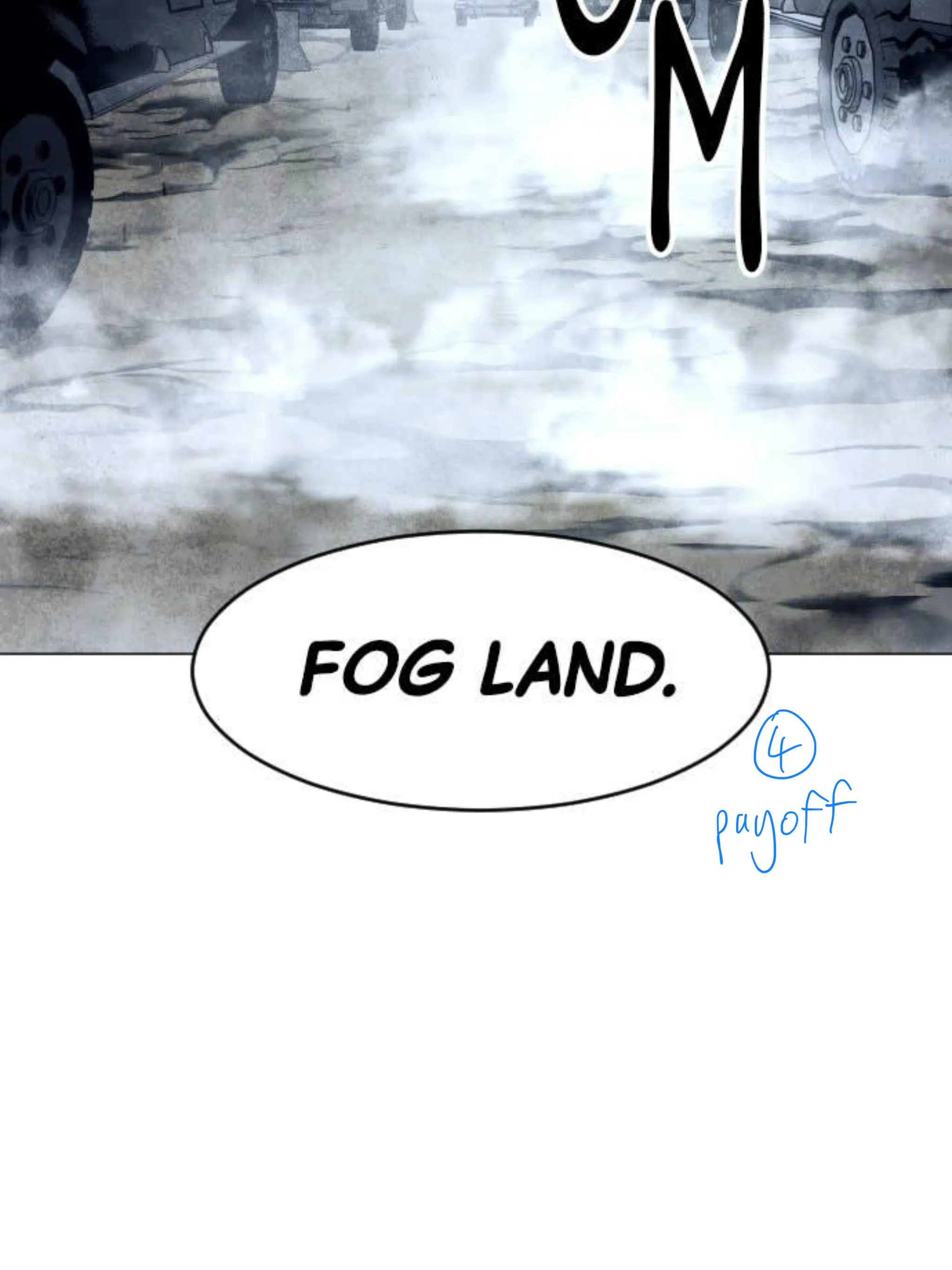
Set Up → Develop → Visual Tease → Payoff
A 4-beat structure for webtoon reveals and scene introductions:
① Set Up — establish the scene or character in context
② Develop — build the detail or tension
③ Visual Tease — hint at the payoff (partial reveal, sound effect, glimpse)
④ Payoff — full reveal or punchline
① Set up② Develop③ Visual tease④ Payoff
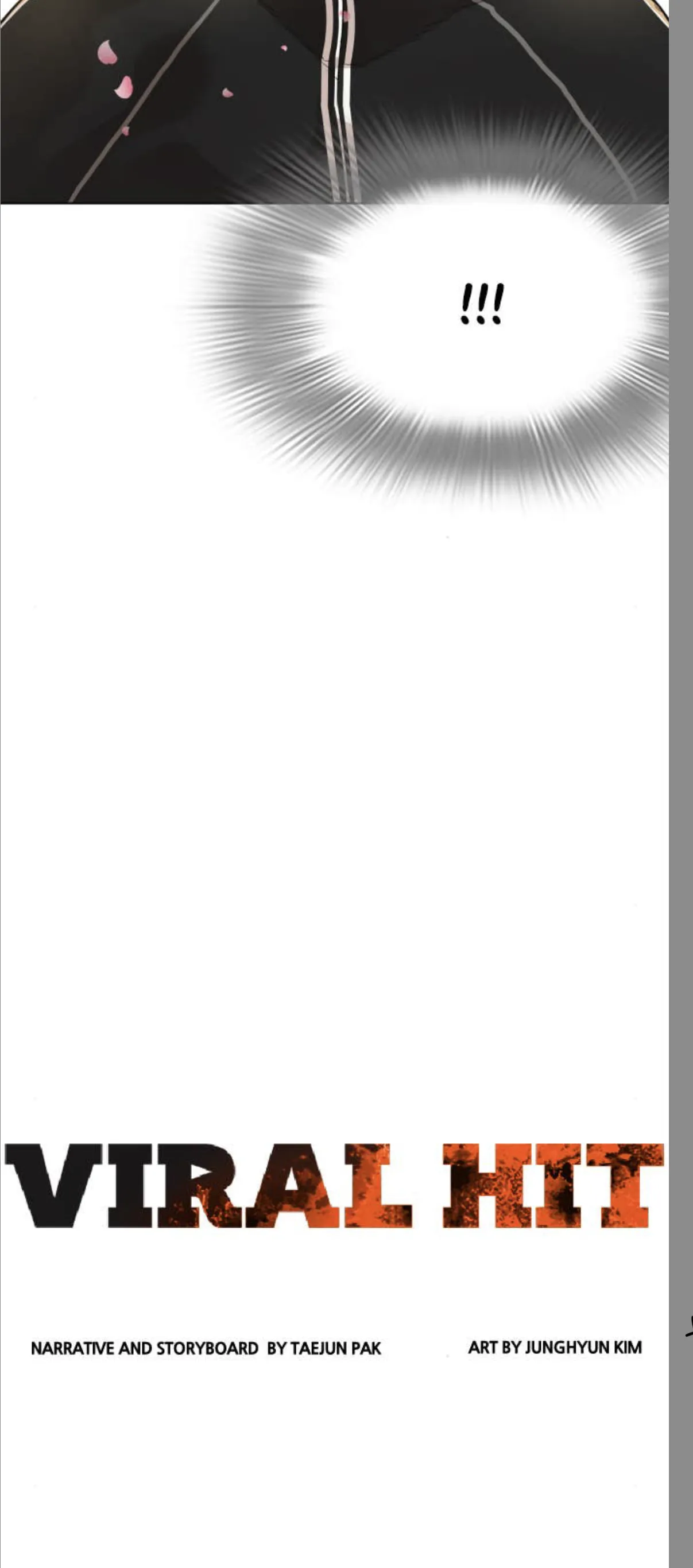
Pre-Title Intro Structure
Episodic webtoons often use a pre-title structure:
Cold open / pre-title sequence — generate interest
Series logo + credits drop
Jump back into the story
The title drop lands harder because of the build-up. Readers also get a beat to breathe before the episode kicks off.
🔲
Framing & Composition
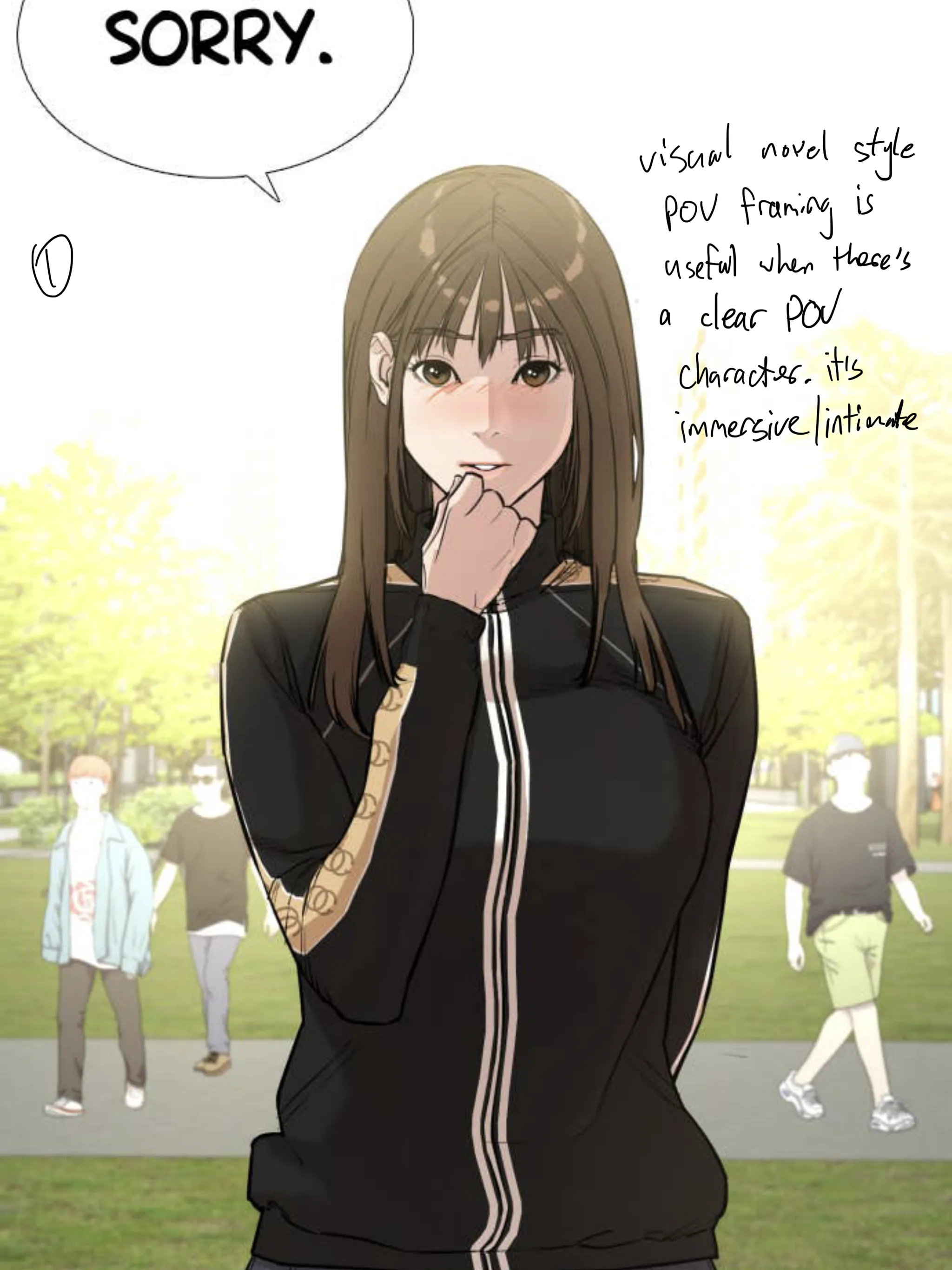
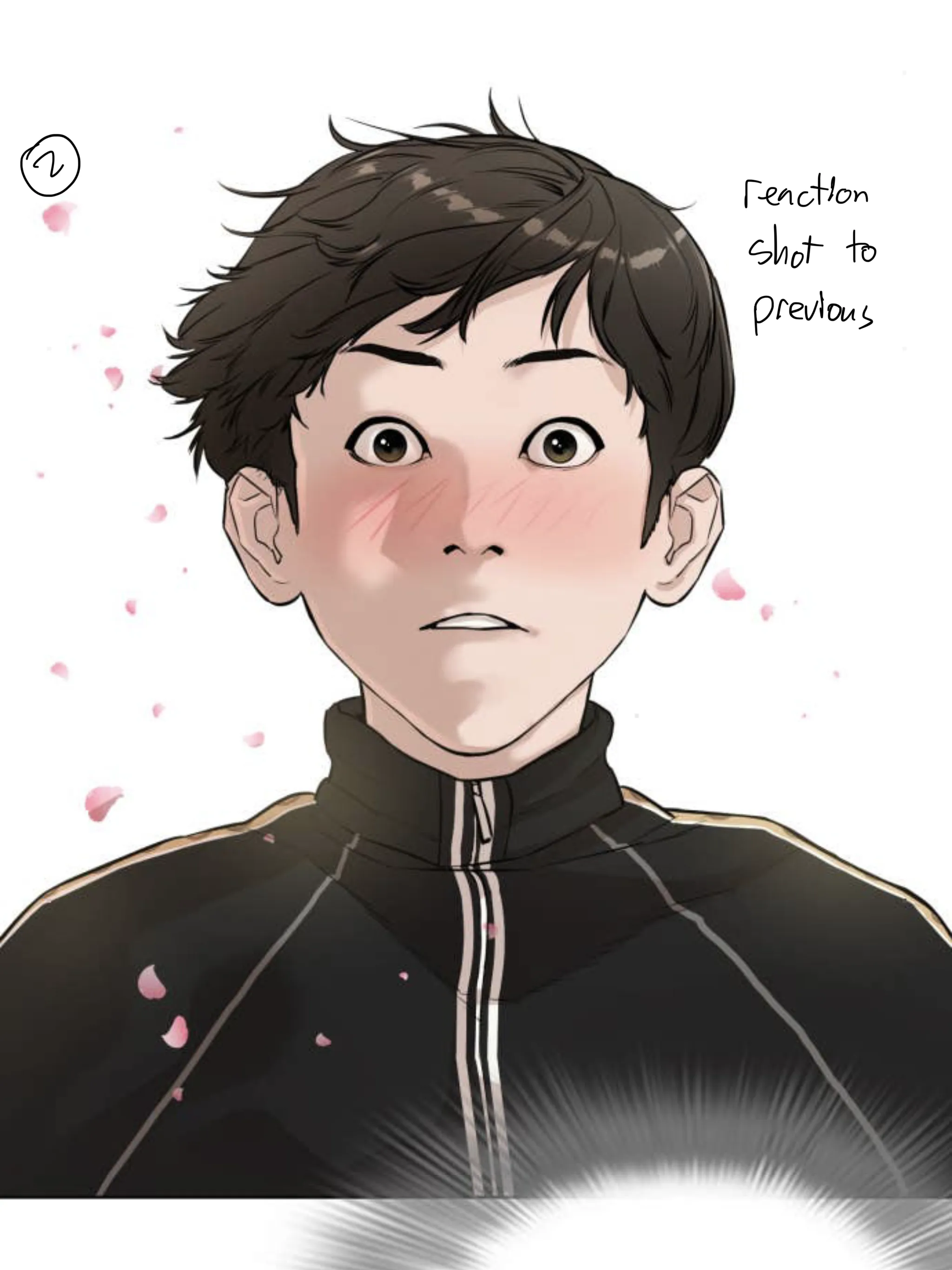
POV Framing + Reaction Shot
Visual novel-style POV framing — the reader's view placed directly within the POV character's perspective — is immersive and intimate. Works best when there's a single clear POV character.
Follow with a reaction shot to complete the emotional beat.
① POV framing② Reaction shot
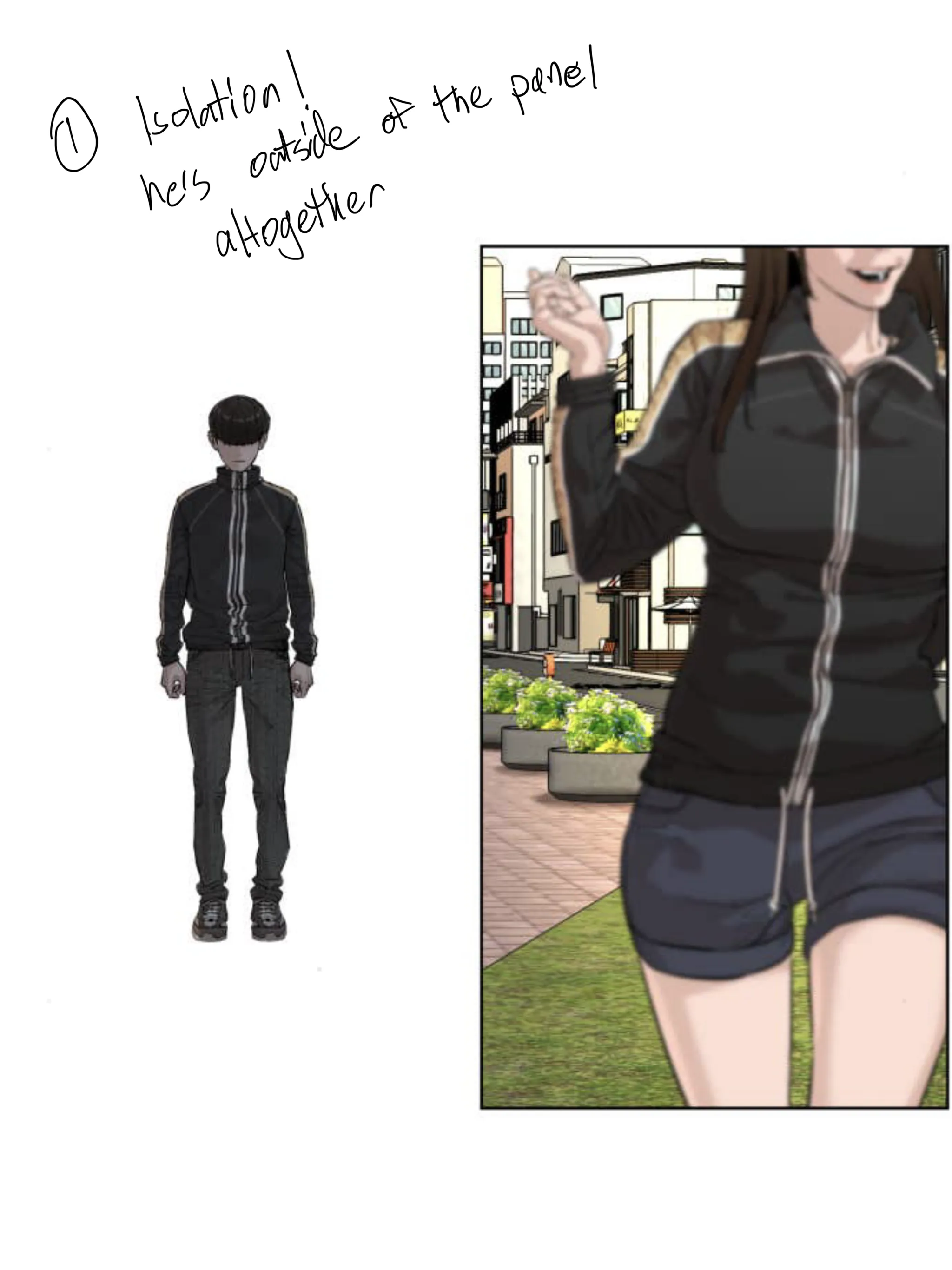
Character Isolation — Outside the Panel
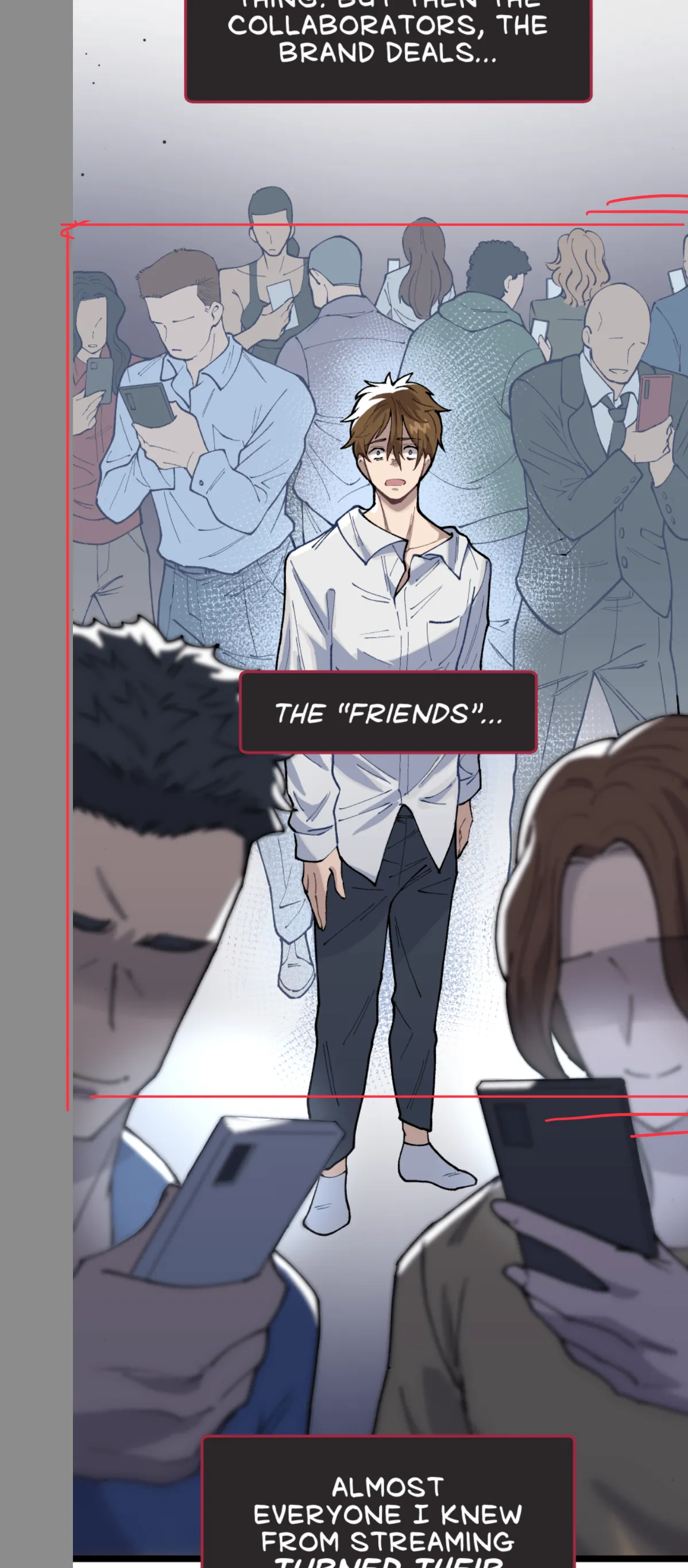
Placing a character completely outside any panel (floating on bare white) is a powerful isolation technique.
Creates strong contrast between the character's inner state and the framed world beside them — they're excluded from it visually and emotionally.
Sequential Composition — Pan Down Effect
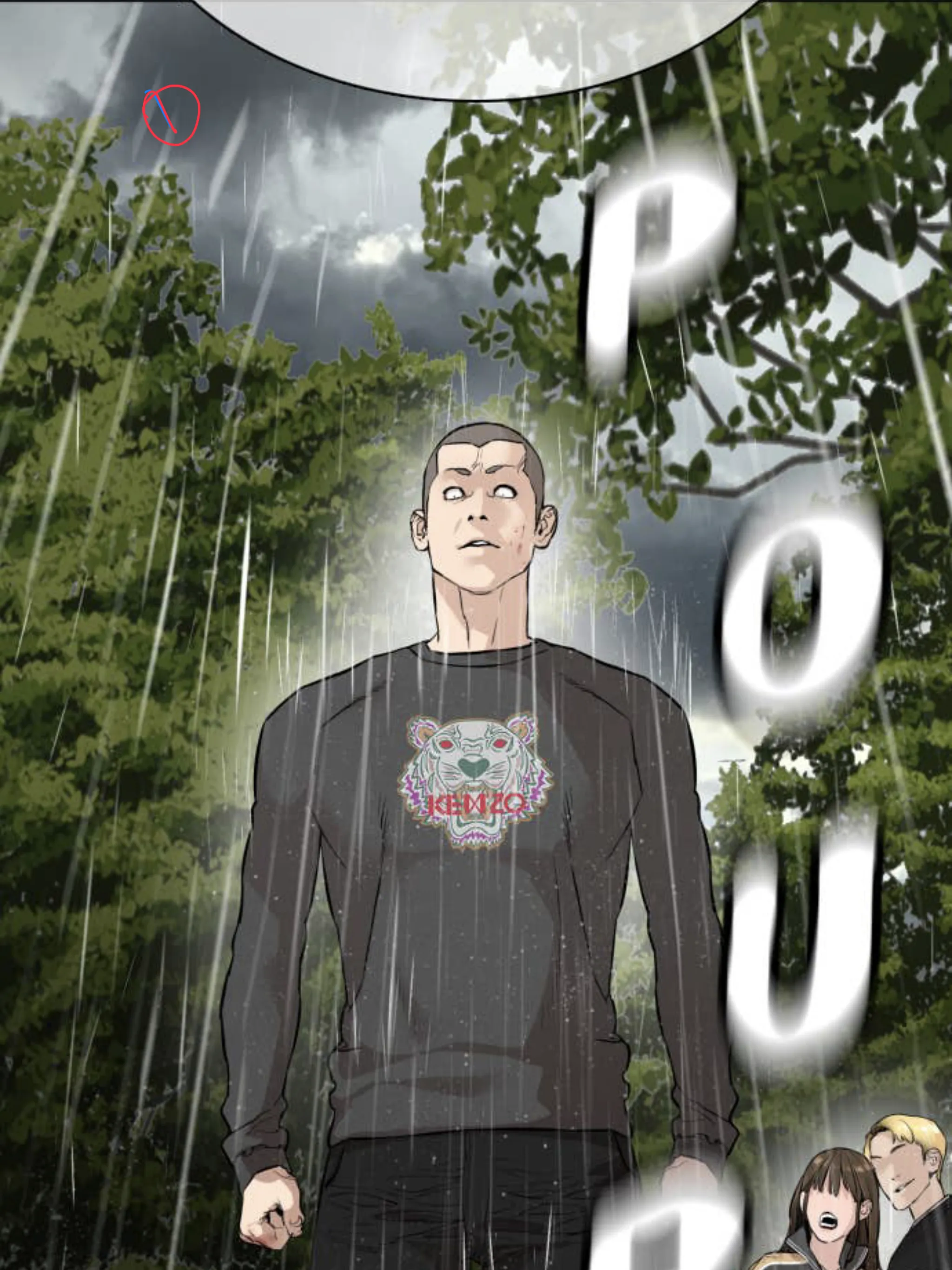
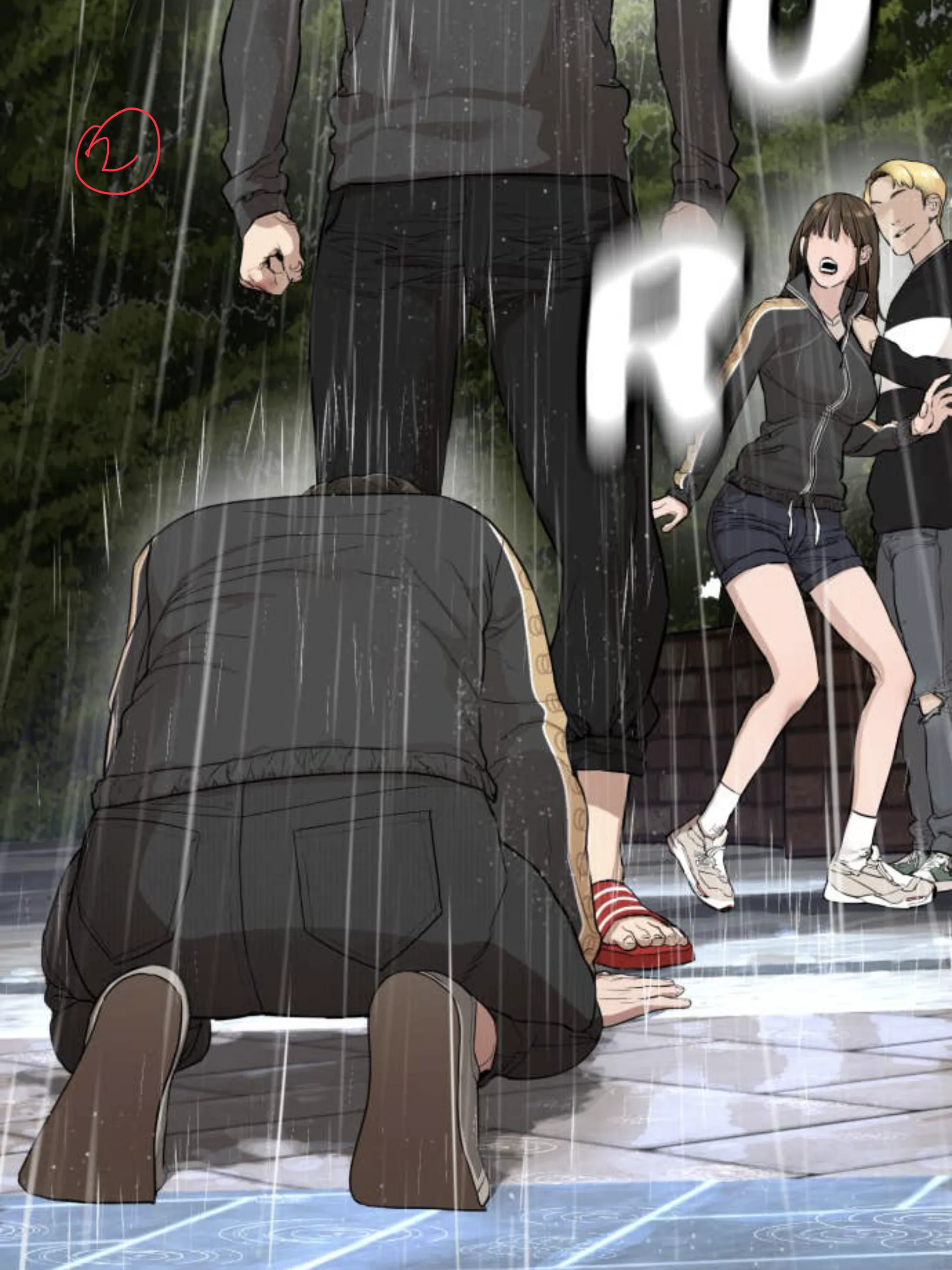
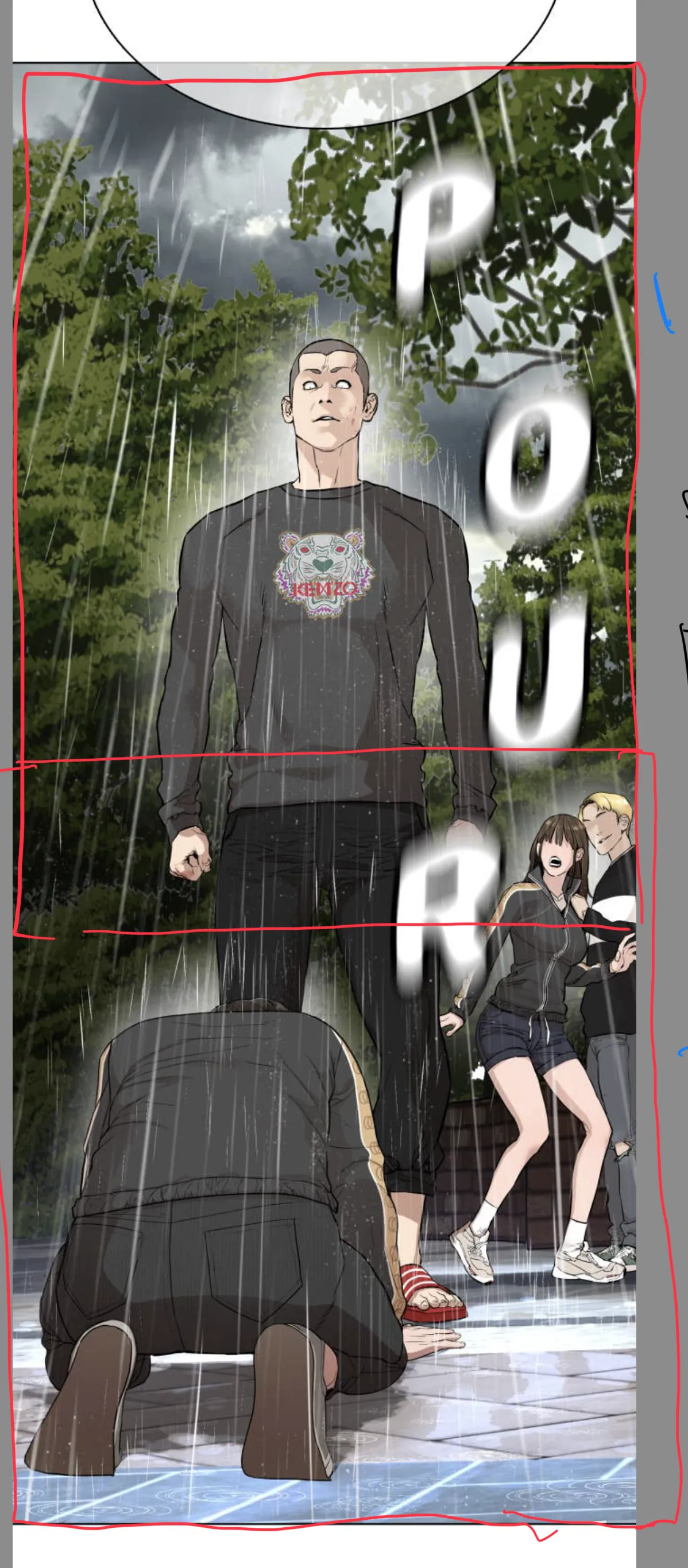
When a scene spans multiple consecutive panels that scroll into each other, each panel must have its own purposeful composition.
Both halves should work independently AND together as one flowing whole — like an animated camera pan down. Design composition 1 and composition 2 separately, then check them together.
① First composition② Second composition③ Full view — both together
✏️
Visual Techniques
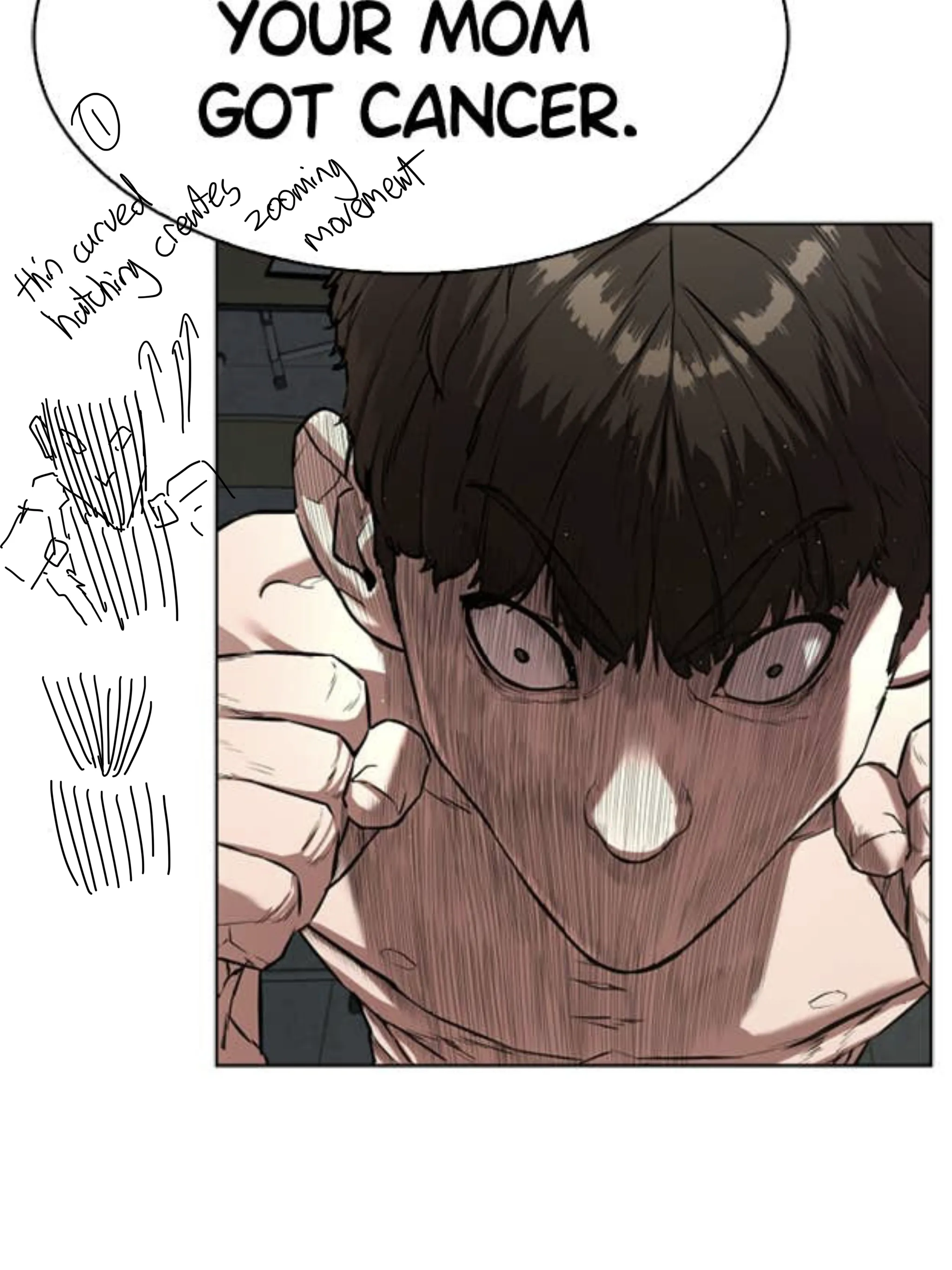
Thin Curved Hatching = Zooming Movement
Thin, curved hatching lines radiating toward a subject create a zooming movement effect. The curve of the lines amplifies the sense of speed and intense focus pulling toward the subject.
LLM-assisted layouts and some labels. · more notes